Introduction: Clearing the Confusion
Many new traders hear “VPS” and “VPN” and assume they’re similar because both start with “Virtual Private”.
In reality, these two tools serve completely different purposes — and choosing the wrong one can severely impact your trading performance.
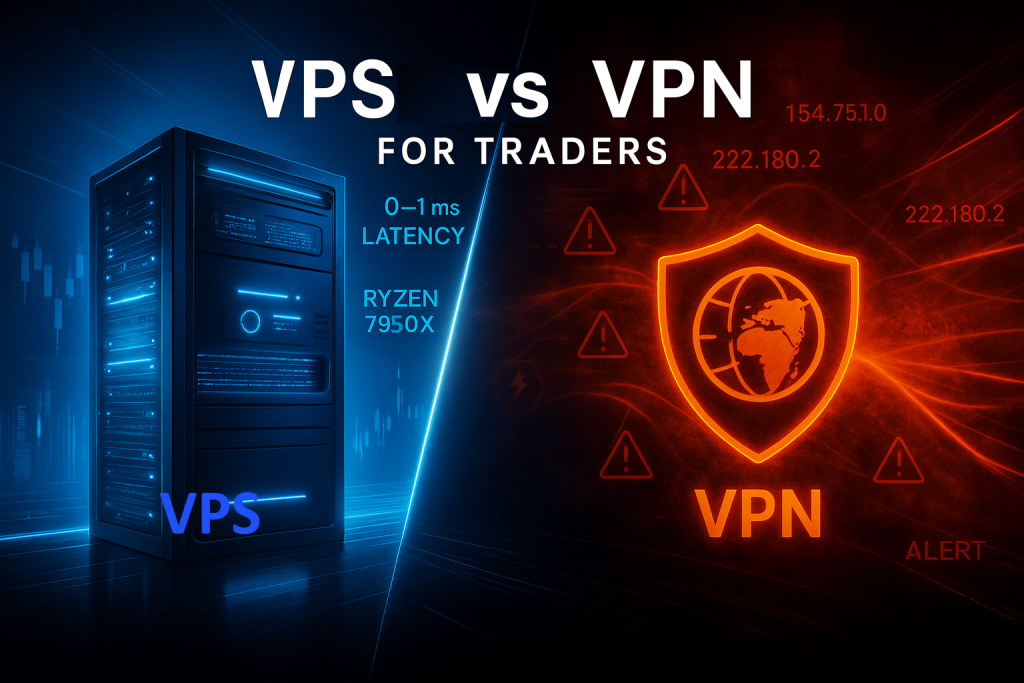
A VPS (Virtual Private Server) gives you a powerful remote computer that runs your trading platforms 24/7 in a secure data center.
A VPN (Virtual Private Network) only hides your IP address by routing your connection through another server.
For traders, this distinction is critical: a VPS can make your trading faster and more stable, while a VPN can make it slower and even get you banned by certain prop firms.
1. What Is a VPS (Virtual Private Server)?
Think of a VPS as your own high-performance computer hosted inside a secure, professional data center.
It runs 24/7 with dedicated CPU, RAM, and SSD storage, ensuring consistent performance and uptime — even if your home PC or internet connection goes down.
With a VPS, traders can host their trading platforms, EAs, copiers, and automated strategies on a stable remote machine instead of relying on local hardware.
Simply connect via Windows Remote Desktop (RDP) from any device, and your trades continue executing seamlessly — even when your personal computer is turned off.
Key Benefits of a VPS
- 24/7 Uptime: Keeps your charts, EAs, and algorithms live around the clock — unaffected by your local computer’s shutdowns, crashes, or internet outages.
- Ultra-Low Latency: When hosted near financial hubs (like CME Aurora in Chicago), order execution can occur in under 1 ms.
- Dedicated Performance: No noisy neighbors or shared resources.
- Global Access: Log in from any device, anywhere, without disrupting your trades.
In short: a VPS is built for speed, stability, and continuity — exactly what trading demands.
2. What Is a VPN (Virtual Private Network)?
A VPN is a security tool, not a performance tool.
It encrypts your internet connection and hides your IP address by routing traffic through external servers.
VPNs are useful for browsing privately or accessing geo-restricted websites.
What Happens When You Trade Through a VPN
Every request your platform sends (market data, order execution, etc.) travels through an extra hop — the VPN’s remote server — before reaching your broker.
That extra routing introduces higher ping times, variable latency, and packet loss.
Even a 100 ms delay can mean a missed fill or slippage during volatile sessions.
3. VPS vs VPN: Key Differences for Traders
| Feature | VPS | VPN |
|---|---|---|
| Primary Purpose | Remote computer to host trading apps | Secure tunnel for internet privacy |
| Latency Effect | Reduces latency by proximity to exchanges | Increases latency through rerouting |
| IP Address | Static and dedicated | Frequently changes |
| Uptime | 24/7 continuous operation | Only while connected |
| Performance Impact | Boosts speed and reliability | Can throttle or block connections |
In short: a VPS boosts your trading speed and reliability, while a VPN often slows it down.
A VPS functions as dedicated hardware (a remote server), whereas a VPN is merely software that routes your network traffic through another connection.
4. Why Traders Need a VPS — Not a VPN
Speed and Latency
Professional traders rely on millisecond-level execution.
A TradingVPS located near CME Aurora or NYSE Arca data centers minimizes physical distance to your broker’s matching engine — often achieving 0 – 1 ms latency.
A VPN adds extra distance and routing hops, increasing delay instead of reducing it.
Reliability and Uptime
If your home PC crashes or your Wi-Fi disconnects, your VPS keeps trading uninterrupted.
By contrast, VPNs provide no continuity: disconnect the VPN and your trading stops immediately.
Compliance and Security
A VPS uses a static IP address, recognized by brokers and prop firms.
VPNs constantly change IP addresses, which can trigger automated security locks, multi-login warnings, or even permanent account bans.
5. The Risk of Using VPNs in Trading
a) Prop Firm Bans
Most modern prop firms prohibit VPN usage to prevent account sharing and fraud.
For example, Alpha Futures, Topstep, and several others explicitly warn:
“Do not use VPN connections — they may trigger automatic bans.”
If you log in with a VPN, their system detects mismatched locations or rotating IPs and may void your evaluation or funded account.
b) Connection Lockouts on VPS
Using a VPN inside your VPS is even worse.
Once you activate a VPN client, it changes the VPS’s public IP.
Your remote-desktop connection (RDP) still points to the old IP — meaning you can no longer connect.
You’ve effectively locked yourself out of your own VPS.
Restoring access often requires provider-side uninstall, all because of a single unnecessary VPN session.
6. Real-World Example
Imagine a trader named Ryan.
He rents a Chicago VPS near CME Aurora to trade NinjaTrader 8 on Rithmic data feed.
His ping time is 1ms — perfect.
Curious about “extra security,” he installs a VPN inside his VPS.
The VPN changes his IP to New York and increases latency to 60 ms.
Worse, his RDP connection fails because the VPS’s IP has changed.
He contacts support for recovery — losing precious trading time.
Meanwhile, Alpha Futures flags multiple IP logins and freezes his account.
A single VPN caused downtime, slippage, and compliance issues.
7. Best Practices for Traders
- Use a Trading-Optimized VPS
Choose a provider offering servers near major financial hubs — Chicago, New York, London, Frankfurt — for minimal latency. - Keep a Static IP
Request a dedicated IP address tied to your account.
This ensures brokers always recognize your logins. - Never Use a VPN Inside Your VPS
It disrupts remote access and breaks compliance.
Your VPS is already secure — it doesn’t need a VPN layer. - Monitor Latency and Ping
Regularly test connectivity to your broker’s servers; under 10ms latency is ideal for trading. - Work with 24/7 Human Support
In trading, every minute counts.
Make sure your provider offers real-time help instead of chat bots or slow ticket queues.
8. TradingVPS — Engineered for Professional Performance
In high-speed futures and prop trading, milliseconds define profitability.
TradingVPS is built specifically for this environment — optimized for ultra-low latency, stability, and security.
Why Traders Choose TradingVPS
- Ryzen 9 7950X Processors: High-frequency architecture with boost speeds up to 5.7 GHz for real-time chart and DOM execution.
- DDR5 RAM + NVMe Gen4 Storage: Instant data response for multi-platform strategies.
- Dedicated IP Addresses: No rotations, no login issues with prop firms – just remember to share your VPS IP with them if required for account verification.
- Windows Server 2022 Environment: Secure, optimized, and ready for modern platforms.
- Global Locations: Chicago | New York | London | Frankfurt — choose the closest hub to your broker.
- 24/7 Human Support: Live engineers to assist with setup, migration, and troubleshooting.
TradingVPS removes uncertainty from your trading infrastructure.
No VPN delays, no disconnections, no rule violations — just pure performance.
9. Final Thoughts
The difference between a VPS and a VPN may sound minor, but for traders it’s the difference between consistent execution and avoidable problems.
- VPS = Performance, Reliability, Compliance
- VPN = Latency, Instability, Risk
If you’re serious about prop firm evaluations, futures scalping, or multi-account automation, a VPS is non-negotiable.
Keep your trading platform online 24/7, stay connected to your broker with a static IP, and avoid the mistake of using VPNs that can slow you down or get you banned.
Trade smart, trade fast — trade on TradingVPS.