1. Introduction: Trading That Never Sleeps
In the fast-moving world of online trading, every second matters. Whether you’re scalping futures, running automated bots, or managing prop firm accounts, you need your platform to stay live and responsive — even when your personal computer can’t.
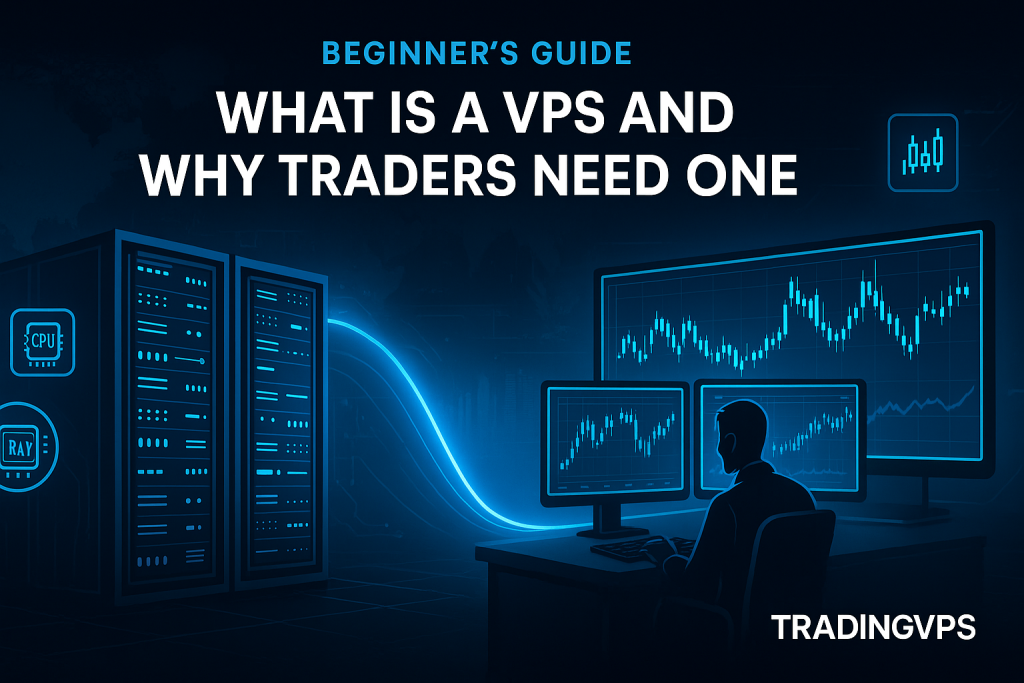
That’s where a VPS (Virtual Private Server) comes in. Think of it as your own high-performance computer hosted inside a secure data center. It’s always on, ultra-fast, and designed to keep your trading platforms running without interruption.
If you’ve ever experienced a platform crash, home Wi-Fi outage, or power failure at the worst moment — this guide will show you why traders worldwide are shifting to VPS hosting for serious performance and reliability.
2. What Exactly Is a VPS?
A Virtual Private Server is a type of hosting environment where you rent a slice of a powerful physical server. Using virtualization technology, the data center divides one large machine into several “virtual” computers — each with its own guaranteed resources: CPU, RAM, storage, and bandwidth.
You can think of it like this:
A VPS is your own personal computer that lives inside a professional data center — always on, always connected, and always ready to trade.
Unlike shared hosting, where many users compete for the same resources, a VPS gives you dedicated performance and full control over your environment. You get your own dedicated IP address, operating system (usually Windows Server 2022), admin access, and the freedom to install any trading platform or tool you need.
3. How a VPS Works (in Simple Terms)
A VPS runs on top of a powerful physical host machine equipped with high-frequency CPUs, enterprise-grade RAM, and ultra-fast NVMe storage. Using virtualization software (like VMware, KVM, or Hyper-V), that hardware is split into multiple independent “virtual computers.”
Each VPS behaves like a standalone desktop — isolated from others, with its own resources and IP address. You can connect to it remotely using Remote Desktop Protocol (RDP) from any device, anywhere in the world.
Once logged in, you’ll see a familiar Windows desktop where you can install NinjaTrader, MetaTrader, Tradovate, TradingView, or any trading tool you prefer.
Because your VPS runs inside a redundant, high-speed data center, it benefits from uninterrupted power, redundant internet connections, and enterprise-level cooling and security.
4. Why Traders Use a VPS
Let’s get to the core: why do traders rely on VPS hosting?
1. 24/7 Uptime
Your VPS never sleeps — it keeps running even when your laptop is off. This ensures your trading platform stays online, monitoring the market and executing strategies continuously.
2. Ultra-Low Latency
Speed is everything in trading. A VPS located near your broker’s data center (like CME for Futures & Options, or NYSE Arca for Equities & ETFs) reduces latency to as low as 0–1 ms, letting your orders reach the market faster than from a home connection.
3. Stability During Volatility
When markets move fast, home internet connections or consumer routers can choke. VPS servers are built on redundant fiber networks — they stay stable during the most volatile sessions.
4. Perfect for Automated Trading
If you use Expert Advisors, bots, or algorithmic strategies, a VPS keeps them running 24/7, unaffected by local power or Wi-Fi issues.
5. Security
Data centers use enterprise-grade firewalls, DDoS protection, and constant monitoring — far beyond what home networks can offer.
6. Global Access
Access your trading environment from any location or device — ideal for traders who travel or use multiple setups.
5. VPS vs. Home Computer for Trading
| Feature | Home PC | Trading VPS |
|---|---|---|
| Internet reliability | Varies by ISP | Redundant fiber networks |
| Uptime | Limited (when PC off) | 24/7 continuous operation |
| Latency to brokers | 30–200 ms typical | As low as 0–1 ms |
| Power failure risk | High | Protected by UPS & backup power |
| Accessibility | Local only | Global via Remote Desktop |
| Security | Basic firewall | Data-center-grade DDoS protection |
| Environment | Runs multiple background apps competing for CPU and RAM, often slowing performance | Dedicated to trading applications only, ensuring maximum stability and speed |
| Performance | Consumer CPU | High-frequency server CPU |
When you compare side by side, a VPS is not just a convenience — it’s a competitive advantage.
6. How to Choose the Right VPS for Trading
Choosing the correct VPS setup is crucial. Here’s what to look for:
a. Server Location
Pick a VPS closest to your broker or prop firm’s data center.
- For futures traders using Rithmic, CQG, or NinjaTrader — Chicago (CME Aurora) is the optimal hub.
- For equity traders, investors, HFTs — New York(NYSE Arca) is the optimal hub.
- For forex traders — New York, London, or Frankfurt offer ideal latency.
b. CPU Performance
Trading platforms thrive on high-frequency CPUs, not just high core counts.
AMD’s Ryzen 9 and Intel’s i9-series processors are top choices for traders, delivering high clock speeds exceeding 4.5 GHz for ultra-responsive performance.
c. RAM & Storage
At least 4–8 GB RAM and NVMe SSD (Gen 4) storage for fast data access, especially when running multiple platforms or charting tools.
d. Dedicated Resources
Avoid shared VPSs that throttle performance during peak hours. Look for dedicated CPU and RAM guarantees.
e. Dedicated IP Address
Ensure your VPS includes a static, dedicated IP address.
Some providers rotate or recycle IPs, which can trigger broker security flags or require frequent re-verifications. A stable IP keeps your trading environment consistent and trusted.
f. Operating System
Confirm that your provider offers a properly licensed Windows Server (2022 or newer).
⚠️ Warning: Some VPS providers charge extra for a Windows license, while others install unlicensed or pirated copies, which can lead to instability, forced shutdowns, or compliance issues with trading platforms.
g. 24/7 Human Support
Reliable human support is essential — especially when setting up your VPS, installing trading software, or migrating your platform.
Some providers rely only on ticket systems or chatbot responses, making it frustrating to get help when you need it most.
Choose a service that provides real-time human support via live chat or direct contact for instant troubleshooting and onboarding assistance.
7. How to Connect and Use a VPS
Getting started is simpler than most expect:
- Receive login credentials (IP address, username, password) from your VPS provider.
- Open Remote Desktop Connection on your computer or mobile device.
- Enter credentials → click “Connect.”
- You’ll see your VPS desktop — identical to a Windows PC.
- Install your trading platforms (e.g., NinjaTrader 8, MetaTrader 4/5, Tradovate).
- Keep it running: When you close your RDP window, your VPS continues running in the background — executing trades 24/7.
Pro Tip: For best performance, disable automatic Windows updates during active sessions and use a wired connection when testing latency.
8. Why TradingVPS Is the Ideal Choice for Traders
When milliseconds matter, not all VPS providers are created equal.
TradingVPS was engineered specifically for professional traders and prop firm users who demand sub-1 ms speed, uninterrupted uptime, and total reliability.
Our Key Advantages
- Chicago Data Center (CME Aurora proximity): As close as 0–1 ms to futures exchanges.
- High-Frequency Hardware: AMD Ryzen 9 7950X CPUs with up to 5.7 GHz boost clocks.
- Dedicated Resources: No shared cores or throttled performance.
- Global Hubs: Chicago, New York, London, Frankfurt — optimized for futures, forex and crypto.
- Platform-Ready: Perfect for NinjaTrader, MetaTrader, CQG, Rithmic, Tradovate, Sierra Chart, and more.
- Advanced Security: DDoS protection, and enterprise firewalls.
- Instant Setup: Deploy in minutes and start trading immediately.
- 24/7 Human Support: Get expert support via live chat, tickets, or direct email.
Whether you’re managing multiple funded accounts or running automated bots, TradingVPS ensures your platform stays lightning-fast and continuously online — no matter where you are.
9. Common Questions About Trading VPS
1. Do I need technical knowledge to use a VPS?
Not at all. If you can use Windows, you can use a VPS. Most providers (like TradingVPS) offer one-click setup and remote desktop access.
2. Will my VPS keep running if I close my laptop?
Yes. Once connected, your VPS operates independently — closing your device doesn’t affect it.
3. Can I install multiple trading platforms?
Yes. You can run several platforms (e.g., NinjaTrader 8 + MetaTrader 5) as long as your VPS resources support it.
4. How secure is a VPS?
VPS environments are isolated, encrypted, and hosted in monitored data centers with DDoS protection.
10. Final Thoughts: Turning Your Trading Into a 24/7 Operation
A VPS is no longer just a luxury for professional traders — it’s a necessity.
It keeps your trading platform alive, connected, and protected even when your personal computer can’t. With zero downtime, ultra-low latency, and dedicated resources, a VPS is the invisible edge that powers modern trading success.
Whether you’re scalping the E-mini in Chicago, trading forex in London, or managing prop firm evaluations across multiple accounts — a TradingVPS gives you the infrastructure that never sleeps.
Ready to experience it yourself?
➡️ Deploy Your TradingVPS Today and see how speed truly feels.