
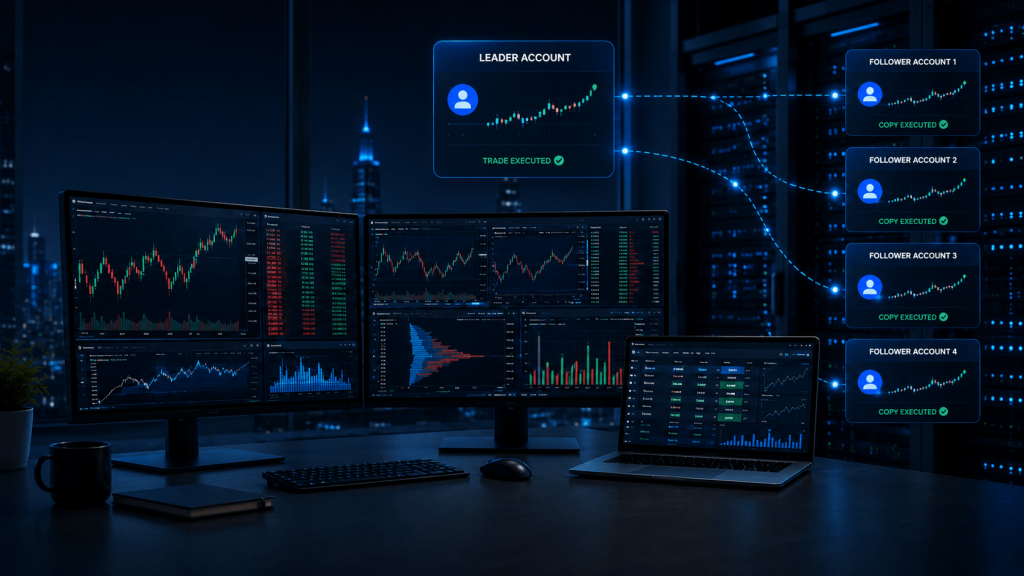
Managing several futures accounts manually can become complicated very quickly. A trader may need to enter the same position across multiple prop accounts, maintain consistent quantities, manage exits, monitor account status and make sure every connection remains synchronized. A futures trade copier attempts to simplify that workflow by taking activity from one leader account and replicating it across one or more follower accounts.
The technology behind copy trading has changed substantially. In 2026, traders are no longer limited to traditional desktop add-ons running inside a Windows trading platform. Cloud-based copiers can operate independently of a local PC, data providers such as Rithmic now provide native copy-trading functionality, and prop firms such as Topstep have integrated copying directly into their own platforms. At the same time, established tools such as Replikanto remain highly relevant for NinjaTrader-focused traders who want detailed control over local multi-account workflows.
That creates an important question: What are the best futures copy trading platforms in 2026?
There is no single answer for every trader. Tradesyncer stands out for cloud-based and cross-platform workflows. Replikanto remains particularly strong for NinjaTrader users. Rithmic‘s native Trade Copier is becoming an increasingly important option for traders already inside the Rithmic ecosystem. Tradovate Group Trade offers a straightforward built-in approach for compatible accounts, while Quantower provides desktop-based copy trading alongside its charting and order-flow environment. TopstepX is especially relevant for traders who remain entirely inside the Topstep ecosystem.
The right choice depends on your trading platform, prop firm, account structure, need for remote hosting, and—most importantly—the rules that govern your accounts.
Best Futures Copy Trading Platforms in 2026: Quick Comparison
A useful comparison starts with architecture rather than marketing claims. Some trade copiers operate in the cloud, some depend on a Windows desktop application remaining active, and others are built directly into the trading platform or data-provider ecosystem.
| Futures trade copier | Best for | Architecture | VPS relevance | Main consideration |
|---|---|---|---|---|
| Tradesyncer | Cross-platform and prop traders | Cloud | Low for copier itself | Requires supported account connections |
| Replikanto | NinjaTrader users | Local NinjaTrader add-on | High | NinjaTrader must remain running and connected |
| Rithmic R|Trade Copier | Rithmic users | Native | Medium | Primarily valuable inside Rithmic ecosystem |
| Tradovate Group Trade | Simple same-provider setups | Native | Low to medium | Group Trade does not support bracket/ATM orders |
| Quantower Copy Trading | Desktop multi-account workflows | Desktop/native | High | Login and connection structure can affect copying |
| TopstepX Trade Copier | Topstep traders | Platform-native | Low | Only works within supported Topstep account types |
The biggest mistake when comparing these tools is to evaluate them only on claimed speed. Reliability depends on much more than the copier itself. Broker connectivity, account state, platform availability, order rejection, market liquidity and prop-firm restrictions can all affect whether leader and follower accounts remain synchronized.
A trader should therefore think about the whole workflow rather than simply asking which copier is fastest.
How Futures Trade Copiers Work in 2026
Most futures copy-trading systems follow the same basic leader-and-follower structure. The trader places an order in a designated leader account, and the copier attempts to reproduce that activity in one or more follower accounts. Depending on the software, the follower may use the same quantity as the leader, a fixed ratio or a different contract size. Some systems can also handle different but related products, such as copying a standard contract into a smaller Micro contract.
What has changed is where this copying logic operates.
A traditional local copier depends on software running on the trader’s computer or VPS. Replikanto, for example, operates through NinjaTrader. If NinjaTrader closes, the relevant broker connection fails or the copier itself is no longer active, follower accounts may stop receiving copied instructions. This makes the reliability of the Windows environment part of the copy-trading infrastructure.
Cloud copiers move that dependency away from the local machine. Once supported accounts are connected and the copier is configured, the provider’s infrastructure can monitor the leader account and distribute activity to follower accounts without requiring a desktop copier to remain open continuously.
Native copiers sit somewhere else in the architecture. They are integrated into a platform, broker or data-provider ecosystem. Rithmic’s Trade Copier and Tradovate’s Group Trade are examples of functionality that can reduce the need for an additional third-party copying application.
None of these architectures is automatically superior. They solve different problems.
Cloud, Local and Native Copiers Serve Different Traders
A cloud copier is particularly attractive when a trader has accounts spread across several supported connections and wants to reduce dependence on one desktop environment. Tradesyncer, for example, supports a growing range of futures-focused connections including Rithmic, NinjaTrader, Tradovate, TradingView, Volumetrica and dxFeed-related workflows. Once the account connections are configured, the copying process operates through its cloud infrastructure rather than through a locally running copier application.
A local copier provides a different level of integration. Replikanto runs inside NinjaTrader, which makes it particularly relevant for traders already using NinjaTrader as the center of their workflow. This can provide detailed control, but it also means that NinjaTrader and the associated connections become part of the critical infrastructure.
Native solutions can simplify things further when all the relevant accounts already exist within one ecosystem. Tradovate Group Trade, TopstepX or Rithmic’s own copier may make more sense than adding another third-party application when their built-in functionality already matches the trader’s requirements.
The best choice depends less on which product has the longest feature list and more on where your accounts actually live.
Best Futures Trade Copiers Compared
Tradesyncer — Best Cloud Futures Trade Copier
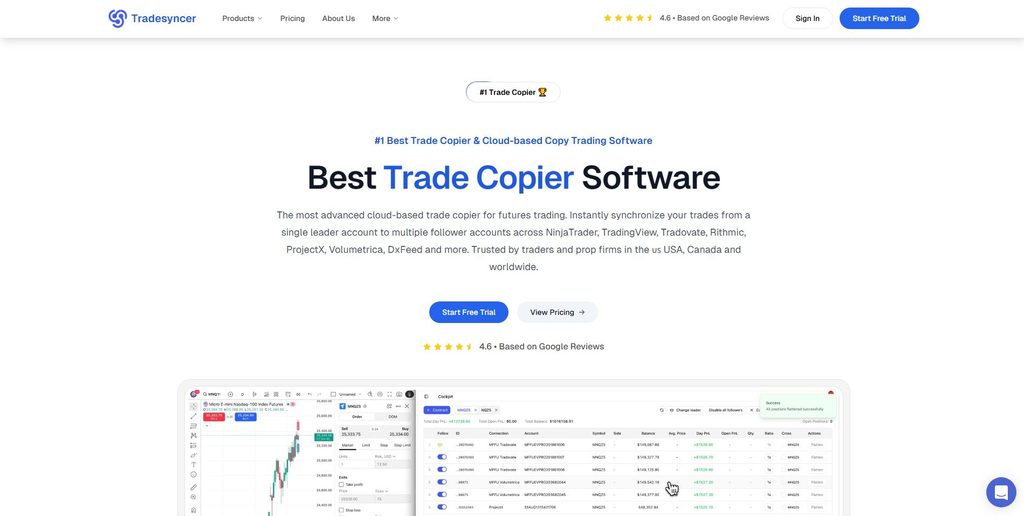
Tradesyncer represents one of the clearest shifts toward cloud-based futures copy trading in 2026. Instead of requiring a traditional copier application to remain active on a Windows computer, supported trading accounts connect to Tradesyncer’s cloud infrastructure. A trader designates a lead account, configures follower accounts and copying rules, and then continues trading through a supported platform.
This architecture is particularly useful for traders whose accounts are spread across different supported brokers, platforms or data feeds. The copier is not tied to one NinjaTrader installation, and the trader does not necessarily need to execute directly through a specific Tradesyncer desktop application. The lead account activity is monitored through the configured connections, and matching activity is distributed to followers.
That flexibility makes Tradesyncer particularly interesting for modern prop traders who may have accounts using different technologies.
It also highlights something TradingVPS readers should understand: not every trade copier needs a VPS.
If the entire copying workflow exists in the cloud and the trader does not depend on locally running automation, NinjaTrader strategies or other desktop applications, purchasing a VPS solely to keep the copier active may be unnecessary.
The situation changes when the rest of the trading workflow still depends on Windows applications. A trader may use a cloud copier while simultaneously running NinjaTrader strategies, order-flow software, custom indicators, monitoring applications or other tools that need to remain online. In that case, the VPS supports those applications rather than the cloud copier itself.
Tradesyncer’s greatest strength is therefore flexibility. Its main limitation is that the accounts and technologies being used still need compatible integrations, and healthy broker or data-provider connections remain essential.
Replikanto — Best NinjaTrader Trade Copier
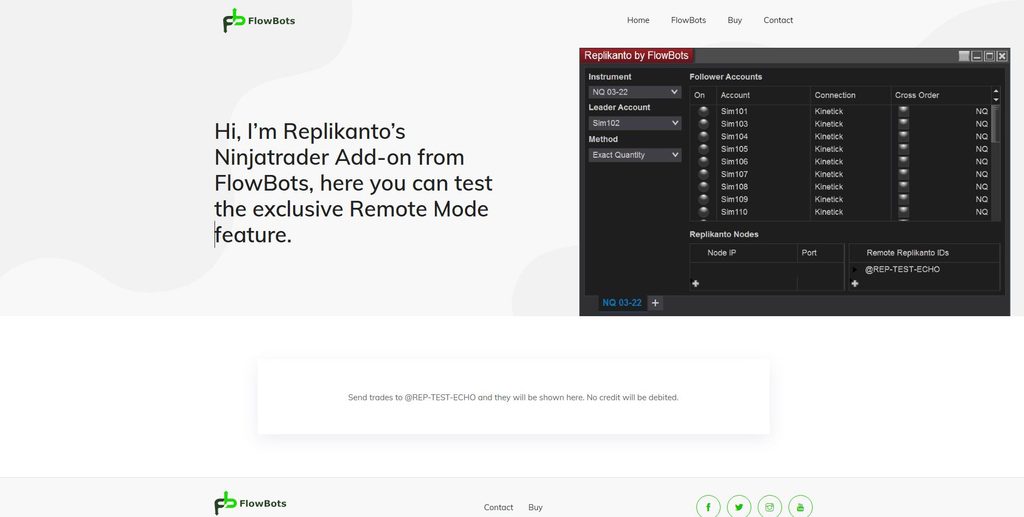
Replikanto remains one of the most relevant futures trade copiers for NinjaTrader users in 2026.
Rather than operating as an independent cloud service, Replikanto runs as an add-on inside NinjaTrader. The trader selects a leader account, designates followers and determines how quantities should be copied. This creates a straightforward workflow for traders who already use NinjaTrader as their primary trading environment.
Replikanto supports ratio-based copying, allowing follower accounts to use different quantities from the leader. A trader could, for example, place one contract in the leader while configuring different followers to copy different position sizes. This can be useful when account sizes or maximum contract limits differ, provided the setup remains compliant with the rules governing each account.
The local architecture creates both the strength and weakness of Replikanto.
Because the copier operates through NinjaTrader, the trader has a highly integrated desktop environment. But NinjaTrader needs to remain open and connected. If the platform loses its broker connection, if a follower becomes disconnected, if an order is rejected or if the copier is incorrectly configured, the follower accounts may not reproduce the leader as intended.
There can also be operational mistakes unrelated to latency. Multiple Replikanto windows or duplicated workspaces, for example, can result in unexpected duplicate copying if the trader does not realize more than one active copier configuration is operating.
This makes monitoring extremely important.
For traders running Replikanto on a personal PC, the home Internet connection, electricity supply, Windows environment and computer hardware all become part of the copier infrastructure. Moving NinjaTrader and Replikanto to a properly configured Windows VPS can reduce dependence on those local components.
A TradingVPS environment can therefore be particularly relevant for this category of copier. The benefit is not that the VPS guarantees identical fills between accounts—it cannot. The benefit is that the NinjaTrader/Replikanto environment can remain remotely hosted and independent of whether the trader’s home PC remains powered and connected.
Rithmic R|Trade Copier — Best Native Option for Rithmic Users
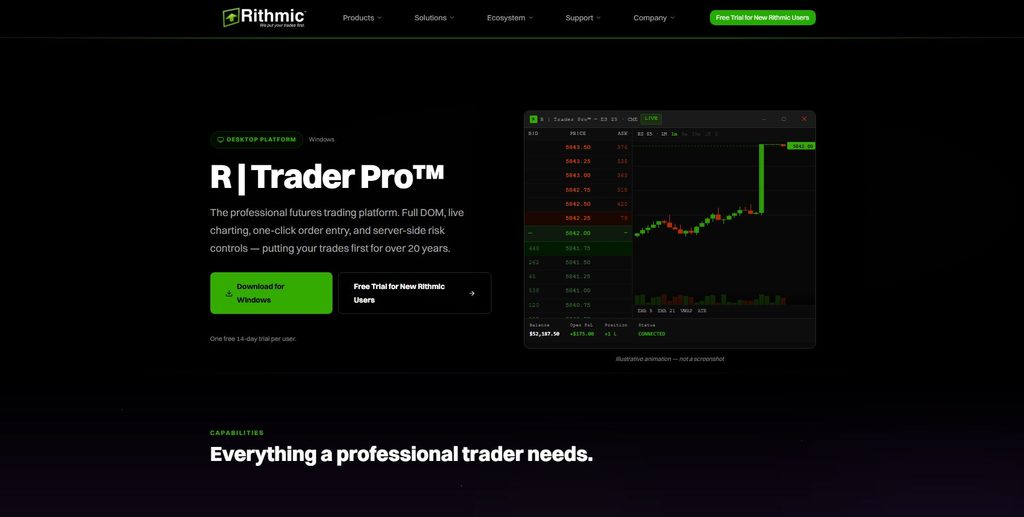
One of the more important copy-trading developments of 2026 is the expansion of Rithmic’s native Trade Copier.
Rithmic has long been a major part of futures data and execution infrastructure, particularly among traders using platforms such as NinjaTrader, Sierra Chart, Quantower and other Rithmic-compatible applications. Its R|Trader Pro environment now includes R|Trade Copier functionality designed to distribute trades across designated accounts.
The feature has continued to evolve during 2026. Recent R|Trader Pro updates broadened Trade Copier availability and improved management of multiple follower accounts, showing that Rithmic is treating copying as a core part of its current platform rather than a minor add-on.
For traders already operating entirely within Rithmic-compatible accounts, a native solution has obvious appeal. It can reduce the number of separate software components in the setup and keep more of the account-management workflow within the same ecosystem.
However, Rithmic configuration requires attention. Traders using multiple Rithmic-connected applications need to understand how their connections are structured. More CPU or RAM will not fix an architecture that is incorrectly configured.
This is another reason to separate infrastructure problems from copier problems. A VPS can keep R|Trader Pro or other desktop applications online, but the applications still need to use the correct Rithmic connection structure.
Rithmic’s copier is likely to become an increasingly important competitor to third-party tools because it sits directly inside an infrastructure ecosystem already used by many futures and prop traders.
Tradovate Group Trade — Best Simple Native Multi-Account Option
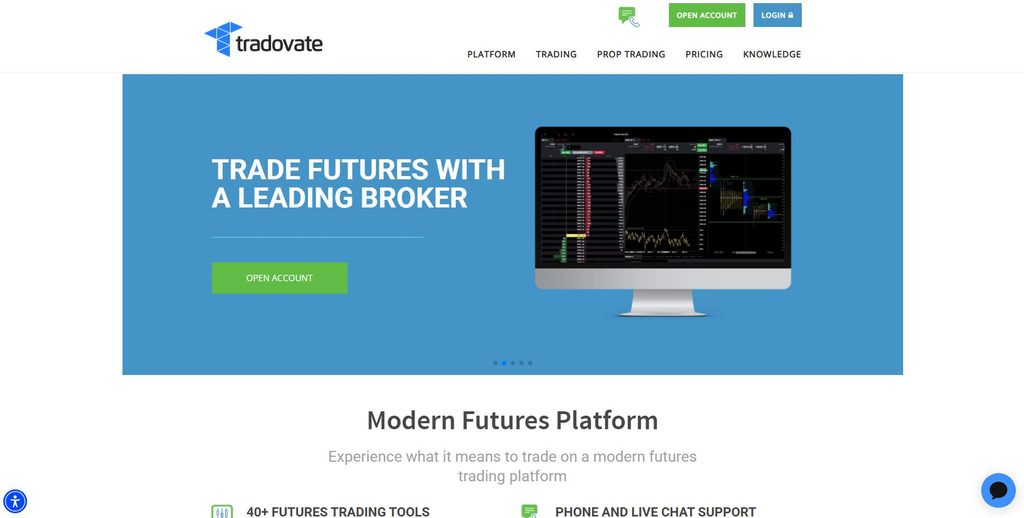
Tradovate‘s built-in Group Trade functionality offers one of the simplest ways to send one trade across several compatible accounts without adding a separate copier application.
The trader creates a group, adds accounts to that group and assigns the desired quantity for each account. When a group trade is placed, orders are distributed according to those configured quantities.
The advantage is simplicity. Traders staying within a compatible Tradovate environment can avoid installing and maintaining additional copying software. The accounts and trades can remain inside the platform they already use.
There are, however, two limitations that should not be overlooked.
Tradovate Group Trade is designed for accounts under the same brokerage provider. It is therefore not the right choice for every cross-platform or cross-provider prop setup. Group Trade also does not support bracket or ATM orders in the same way a trader might expect from a more advanced copier workflow. Stop and limit orders can be managed manually, but traders who depend heavily on bracket-style automation need to understand this restriction before choosing the native option.
This is a good example of why “built in” does not necessarily mean “best.”
For a trader managing a relatively straightforward group of compatible accounts, Tradovate may be exactly what is needed. For someone trying to synchronize more complicated order-management logic across several different providers, another architecture may be more appropriate.
Quantower Copy Trading — Best Desktop Multi-Account Tool
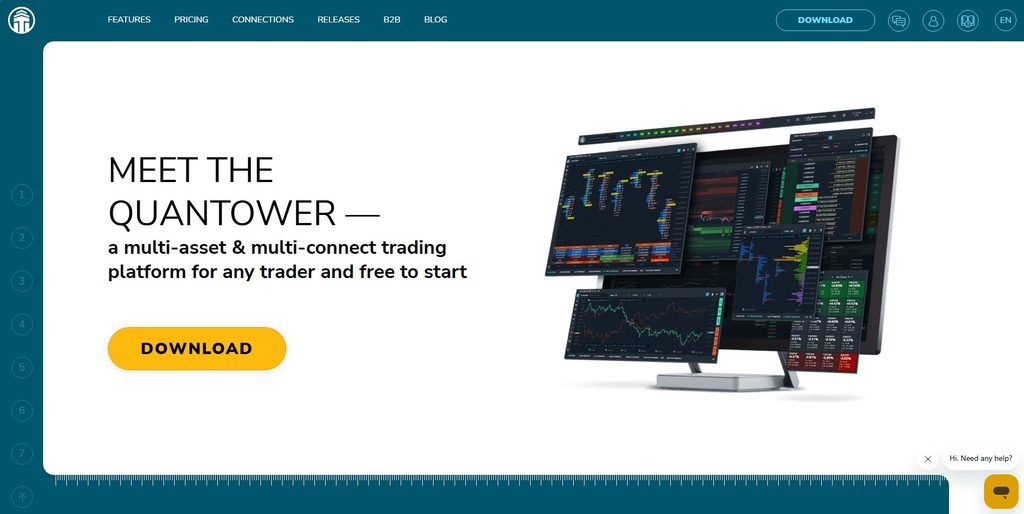
Quantower has become increasingly relevant to futures and prop traders because it combines multi-asset charting, order-flow functionality, numerous data connections and copy trading within one desktop platform.
Its Copy Trading functionality can be attractive to traders who prefer to keep analysis, execution and multi-account management inside the same environment rather than operating a separate NinjaTrader add-on.
Quantower’s implementation also demonstrates why account structure matters. With certain connections, copying between multiple accounts under one login can be straightforward, while workflows involving different logins may require additional platform functionality or licensing.
For order-flow traders already running Quantower continuously, adding copy trading can increase the importance of server resources. Several charts, footprint-style data, DOM windows, multiple symbols and account connections can consume considerably more CPU and RAM than a basic trading platform.
This is where a Windows trading VPS becomes particularly relevant. If Quantower is the desktop engine responsible for the copying workflow, the machine hosting Quantower needs to remain online and responsive. A home Internet outage or Windows restart can affect that environment in a way that would not necessarily affect a fully cloud-based copier.
Traders considering Quantower should therefore evaluate both its copy-trading features and the workload created by the rest of their platform configuration.
TopstepX Trade Copier — Best Prop-Firm Native Option
TopstepX provides one of the clearest examples of a prop firm integrating copy trading directly into its own trading ecosystem.
Its Trade Copier uses a lead-and-follower structure in which orders placed on the Lead account can be mirrored across one or more Follower accounts. Because the functionality is built into TopstepX, the trader does not need to maintain a traditional desktop copier purely for this purpose.
There are important account-level rules, however.
The Lead account needs to have the lowest Maximum Position Size among accounts inside the copier group. Differences between account scaling tiers can also affect the group, and Topstep advises traders to verify copy-trading settings when the trading day changes. The feature is currently associated with specific Topstep account types rather than every possible account stage.
This illustrates an important principle that applies to every prop-firm-native copier: the platform may make copying technically simple, but the firm’s account rules remain part of the copier configuration.
The main advantage of TopstepX is convenience for someone staying completely inside Topstep. The limitation is equally clear: it is not a cross-prop-firm solution.
Is Copy Trading Allowed at Futures Prop Firms in 2026?
There is no universal prop-firm rule for copy trading.
Some firms explicitly support copying under defined conditions. Some build copying directly into their own platforms. Others permit the trader to replicate personally entered orders only across accounts they own. Rules can also differ between evaluation, simulated funded and live accounts.
That makes the statement “prop firms allow trade copiers” too broad to be useful.
A trader should verify the policy for the exact firm and account type before connecting accounts to any copier.
Topstep currently supports copying through TopstepX for eligible account types but maintains its own limits and account requirements. Apex permits a narrowly defined form of copy trading in which a trader manually originates orders in an account under the trader’s control and copies them to other accounts owned by that same trader, while automated strategies and third-party account copying are subject to strict restrictions. My Funded Futures currently permits copy trading across its account types and has identified Tradesyncer as a preferred integration. Take Profit Trader currently allows traders to copy trade multiple eligible PRO accounts, subject to its account rules.
Those policies demonstrate that copying your own manually initiated trades across your own accounts is not necessarily treated the same way as copying another person’s strategy or running automated trading logic.
The technology itself cannot determine whether a workflow is compliant.
A copier may technically allow two accounts to connect while the prop firm’s rules prohibit that relationship. The trader remains responsible for understanding account ownership, automation restrictions, geographic rules and the specific type of copying permitted.
For that reason, TradingVPS does not need to position a VPS as a way around prop-firm restrictions. The legitimate infrastructure use case is much stronger: host an approved desktop copier reliably while leaving the prop firm to define which accounts and strategies may use it.
What Most “Best Trade Copier” Reviews Don’t Tell You
The first reality is that copied orders are not guaranteed to receive exactly the same fill as the leader account.
When the leader order executes, follower orders still need to move through the relevant software, data-provider or broker infrastructure. Market prices can change, available liquidity can differ and an order may be rejected because of account-specific limits. Even when the copier works exactly as designed, small differences between account fills can occur.
This becomes especially important when copying market orders during fast conditions. A trader should never evaluate a copier based on an assumption that every follower will permanently match the leader down to the exact execution price.
The second issue is account synchronization.
A follower account can become disconnected, receive a rejected order or end up with a different position than the leader. Good copy-trading practice therefore involves more than selecting accounts and pressing a button. Traders need a way to monitor follower positions, identify rejected instructions and flatten or reconcile accounts when something becomes inconsistent.
The third risk is human error.
A copier can replicate a mistake just as effectively as it replicates an intended trade. If the leader account sends the wrong quantity and several follower accounts immediately reproduce it, one manual mistake can become a multi-account problem within seconds.
That makes pre-trading configuration particularly important. Contract quantity, leader selection, follower selection, risk limits and active copier windows should be checked before live trading begins.
Another overlooked issue is that cloud and desktop copiers fail differently.
When a local copier such as Replikanto stops because NinjaTrader disconnects, fixing the Windows environment or broker connection may restore the workflow. With a cloud copier, the trader’s PC may be completely healthy while an account API session or remote broker connection requires attention.
Neither architecture eliminates failure. They move the potential failure points to different places.
And finally, a VPS cannot eliminate slippage or guarantee synchronized fills.
A well-hosted trading environment can reduce dependence on a home computer and unstable residential Internet, but every copied trade still depends on software, network infrastructure, account configuration and market conditions. Claims of absolute “zero latency” or guaranteed identical execution should therefore be treated carefully.
Does a Futures Trade Copier Need a VPS?
The answer depends primarily on where the copier runs.
A cloud service such as Tradesyncer does not require a Windows VPS simply to keep its copying engine running. Likewise, a platform-native cloud copier may continue functioning independently of the trader’s personal computer. In these cases, purchasing a VPS solely because an article says “all trade copiers require one” would be unnecessary.
Local software is different.
Replikanto depends on NinjaTrader. Desktop-based Quantower copying depends on the Quantower environment. Other NinjaTrader add-ons, custom copier applications, local algorithms or multiple Rithmic-connected programs can also depend on Windows remaining available and connected.
For those workflows, the machine becomes part of the copier.
If that machine is a laptop at home, copy trading also depends on home electricity, residential Internet, router stability, Windows behavior and whether the device remains powered.
A Windows VPS removes several of those local dependencies.
A trader can install NinjaTrader, Replikanto, Quantower, R|Trader Pro and other supported applications on a remote server and leave the environment running without keeping a personal PC online. The trader can then connect remotely when monitoring or intervention is necessary.
This is where TradingVPS fits naturally into a futures copy-trading workflow.
A Chicago-based TradingVPS server can provide a persistent Windows environment for desktop copiers and supporting futures software. Traders running larger account setups can also choose enough CPU and RAM for the number of platform instances, charts, indicators and data connections they actually operate.
The key word is infrastructure.
TradingVPS does not determine whether your prop firm permits the copier, cannot guarantee identical follower fills and cannot prevent broker or exchange outages. Its role is to provide the remote computing environment on which approved desktop trading software can operate.
When VPS Resources Matter
Copier software itself is rarely the only resource consumer.
A typical desktop copy-trading environment may include NinjaTrader, several charts, custom indicators, R|Trader Pro, market-data services, DOM windows, account dashboards and browser applications. A trader operating multiple platform instances may require substantially more resources than someone running one leader account and a few followers from the same platform process.
This is why VPS sizing should be based on workload rather than the number of accounts alone.
One NinjaTrader instance controlling several accounts through a copier may consume fewer resources than three NinjaTrader instances running twenty charts and several custom indicators.
CPU performance, available RAM, storage speed and resource headroom all matter when the platform needs to remain responsive through a long futures session.
How to Choose the Best Futures Copy Trading Platform
Start with your trading ecosystem.
If NinjaTrader is already the center of everything you do, Replikanto deserves serious consideration because it integrates directly into that environment. If your accounts span several supported brokers and platforms and you want to reduce reliance on a desktop application, a cloud platform such as Tradesyncer may be more suitable. Rithmic users should evaluate Rithmic’s increasingly capable native copier before automatically adding another third-party tool.
Tradovate Group Trade makes sense when the accounts and workflow fit its simpler native structure. Quantower is more attractive to traders who want copy trading integrated with a powerful desktop charting and order-flow environment. TopstepX is particularly convenient for traders whose eligible accounts remain entirely inside Topstep.
After architecture, examine account compatibility and prop-firm rules.
A feature is useless if your account cannot connect to it or your prop firm does not permit the intended workflow.
Then look at failure handling. Understand how the copier behaves when a follower disconnects, an order is rejected or the leader and follower positions stop matching. Check whether the system provides logs, alerts, flatten controls or other ways to identify and correct a synchronization problem.
Finally, decide whether the software needs continuous desktop hosting.
If the copier depends on NinjaTrader, Quantower or another Windows application, the reliability of the computer running that software becomes part of your copy-trading architecture. That is when a properly sized futures VPS can provide meaningful operational value.
Frequently Asked Questions About Futures Copy Trading Platforms
There is no single best choice for every trader. Tradesyncer is a strong option for cloud-based and cross-platform workflows, Replikanto is particularly suitable for NinjaTrader, Rithmic offers an increasingly capable native solution, Tradovate Group Trade works well for simpler compatible account groups, Quantower provides desktop multi-account functionality, and TopstepX is convenient for eligible Topstep accounts.
Replikanto remains one of the most established NinjaTrader-focused copier options. Because it operates inside NinjaTrader, traders should make sure NinjaTrader remains connected and that the Windows environment is properly monitored.
Yes. Rithmic now offers R|Trade Copier within its R|Trader Pro ecosystem, and the feature has continued receiving improvements throughout 2026.
Tradovate Group Trade allows compatible accounts to be grouped and traded together. However, there are limitations, including same-provider requirements and restrictions around bracket or ATM orders within Group Trade.
It depends on the prop firm and account type. Some firms explicitly allow defined forms of copy trading, while others impose restrictions around automation, account ownership, account types or third-party copying. Always check the latest official rules before configuring a copier.
Some third-party technology may technically support accounts from different providers, but technical compatibility does not mean every prop firm allows the arrangement. Each firm’s current rules must be verified independently.
No. Market movement, liquidity, order routing, account configuration and rejected orders can create differences between leader and follower executions.
Final Verdict: Which Futures Copy Trading Platform Should You Choose in 2026?
The futures copy-trading market in 2026 is more diverse than it was when desktop add-ons dominated multi-account trading.
Tradesyncer stands out when cloud-based copying and cross-platform flexibility are the priorities. Replikanto remains highly relevant for traders whose workflow is centered on NinjaTrader. Rithmic R|Trade Copier is becoming increasingly compelling for traders who want copying integrated into the Rithmic ecosystem, while Tradovate Group Trade provides a straightforward native option for compatible same-provider accounts. Quantower is attractive for traders who combine multi-account management with order-flow and desktop charting, and TopstepX offers one of the simplest options for eligible traders staying entirely within the Topstep ecosystem.
The correct decision should therefore begin with your account structure rather than a generic ranking.
Ask where the copier runs, which connections it supports, what happens when an account disconnects, how position mismatches are handled and whether your prop firm’s current rules permit the exact workflow you are planning.
Then consider infrastructure.
Cloud and native copiers can reduce the need for dedicated desktop hosting. Local copiers create a different requirement because the Windows application becomes part of the trade-copying chain. NinjaTrader/Replikanto, Quantower and other desktop-based multi-account environments are only available while the platform and its connections remain operational.
For these local workflows, TradingVPS can provide a persistent Windows environment that runs independently of a trader’s home PC, residential Internet connection and local power. A properly sized Chicago VPS can also provide the CPU, memory and remote accessibility required for larger NinjaTrader, Rithmic and multi-platform setups.
That does not mean every copier needs a VPS, and it does not mean a VPS can guarantee identical execution across accounts.
The better principle is simple:
Choose the copier that matches your accounts and prop-firm rules. Then choose the infrastructure that keeps that specific copier architecture operating reliably.
That approach is more useful than chasing a universal “best” platform—and considerably more important when several futures accounts depend on the same trading workflow.