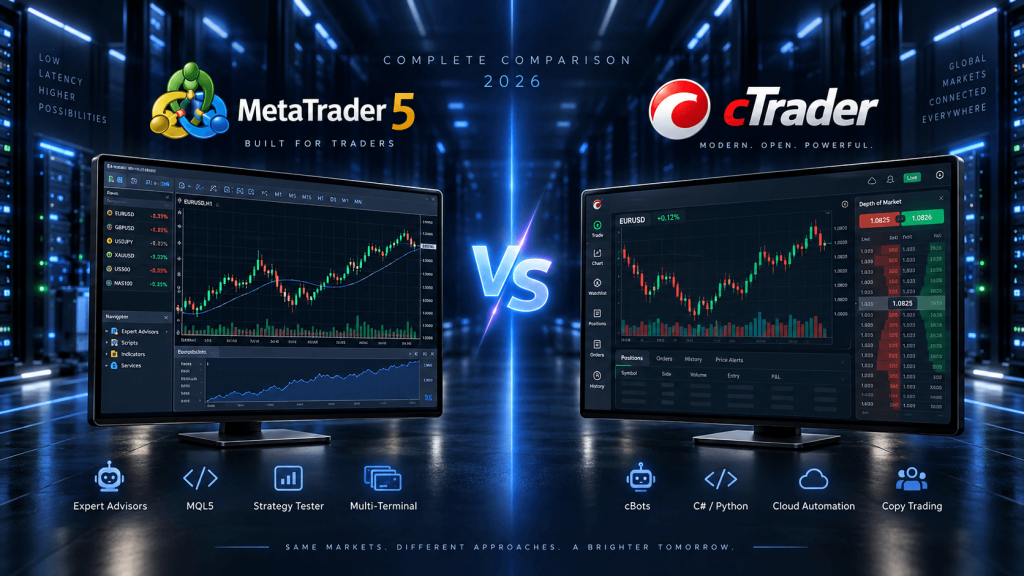
MetaTrader 5 and cTrader are two of the most established trading platforms available to retail forex and CFD traders, but they approach trading from very different directions.
Both support manual trading.
Both support automated strategies.
Both provide charting, technical indicators, multiple order types, depth-of-market tools, backtesting, mobile access, and broker connectivity.
Both can also be run as part of a larger automated trading setup using VPS infrastructure.
Yet once you move beyond basic charting, the differences become substantial.
MetaTrader 5, or MT5, is built around the MQL5 ecosystem, Expert Advisors, the Strategy Tester, MetaEditor, the MQL5 Market, Signals, and a very large global broker and developer community. In 2026, MetaTrader 5 also introduced native MCP and agentic AI capabilities, giving its AI Assistant deeper access to charts, indicators, trading history, logs, coding tools, and Strategy Tester workflows. MetaQuotes’ latest published desktop release as of September 2026 is Build 6180.
cTrader, meanwhile, has continued developing as a cross-platform trading and automation ecosystem with strong charting, transparent trading tools, cBots, C# and Python algo development, Open API access, integrated cTrader Copy, plugins, cloud execution, and native Windows and Mac applications. Its 2026 Algo updates also expanded server-side trade protection and developer functionality.
That makes the MT5 vs cTrader decision less about asking which platform has more features and more about asking:
Which architecture fits the way you trade?
A trader running third-party Expert Advisors may naturally prefer MT5.
A developer already comfortable with C# or Python may find cTrader easier to build around.
A trader who wants a huge marketplace of indicators and robots may lean toward MetaTrader.
Someone who values a more unified cross-device ecosystem and native cloud cBot execution may prefer cTrader.
Neither platform is automatically better for every trader.
This guide compares MT5 vs cTrader in 2026 across trading interface, charting, depth of market, automation, programming languages, backtesting, APIs, copy trading, mobile and web access, account structure, AI, VPS hosting, and the types of traders each platform may suit best.
MT5 vs cTrader: Quick Comparison
| Feature | MetaTrader 5 | cTrader |
|---|---|---|
| Main automation | Expert Advisors | cBots |
| Primary coding language | MQL5 | C# and Python |
| Development environment | MetaEditor | cTrader Algo |
| Backtesting | Strategy Tester | Built-in cBot backtesting |
| Optimization | Multi-threaded Strategy Tester | Built-in genetic/grid optimization |
| AI integration | Native AI Assistant + MCP | External AI workflows/API-friendly ecosystem |
| Cloud bot execution | MetaTrader Virtual Hosting / VPS | Native cBot Cloud execution |
| Copy trading | MQL5 Signals | cTrader Copy |
| Open API | Platform integrations available; MQL5/Python ecosystem | Dedicated cTrader Open API |
| Desktop | Windows-focused | Windows + native Mac |
| Web | Yes | Yes |
| Mobile | iOS/Android | iOS/Android |
| Hedging | Yes | Yes |
| Netting | Yes | Yes |
| DOM | Yes | Yes |
| Marketplace | MQL5 Market | cTrader Store |
| Best-known ecosystem | EAs, indicators, Signals | cBots, Copy, C#/Python, Open API |
This table shows that both platforms cover most core requirements.
The more meaningful differences appear in how those features are implemented.
Trading Interface: MT5 vs cTrader
MetaTrader 5 uses an interface that will feel familiar to anyone who has spent time in MT4 or older MetaTrader environments.
The desktop platform is centered around Market Watch, Navigator, charts, Toolbox, order windows, and detachable chart workspaces.
It is highly functional but still carries much of the traditional MetaTrader layout philosophy.
That is not necessarily a weakness.
Experienced MT4 or MT5 traders can move quickly because common workflows remain familiar.
cTrader has historically taken a more modern interface-driven approach.
Its platform combines charting, order entry, market information, depth of market, trading statistics, news, and account tools within a more visually unified interface.
The Active Symbol Panel, for example, can display symbol information, leverage, swap details, performance statistics, Depth of Market, economic-calendar events, and broker-supported tools such as Autochartist.
For a manual trader, this difference can be important.
MT5 often feels more modular.
cTrader often feels more integrated.
The preferable approach comes down to workflow.
A trader who already knows MetaTrader may value familiarity more than interface modernization.
A new trader starting fresh may find cTrader’s organization easier to understand.
Charting and Technical Analysis
Both platforms provide extensive technical charting.
MetaTrader 5 supports multiple timeframes, built-in indicators, custom indicators, graphical objects, templates, profiles, and custom MQL5 analytical tools.
Its greatest advantage is the enormous existing ecosystem.
Thousands of free and commercial indicators have been written for MetaTrader over many years.
If a trader searches for a highly specific custom indicator, there is a good chance an MQL5 version already exists.
cTrader also provides advanced native charting, built-in indicators, custom indicators, multiple chart types, and extensive drawing tools.
One advantage of cTrader’s current ecosystem is consistency across applications. Built-in indicators work across Mobile, Web, Windows, and Mac, while custom indicators are supported on the desktop Windows and Mac applications.
For straightforward technical analysis, both are capable.
The biggest distinction is ecosystem depth.
MT5 generally has the larger legacy library of third-party indicators.
cTrader offers a more unified modern cross-platform interface.
If your strategy depends on a particular proprietary indicator, availability matters more than comparing the number of built-in indicators.
Depth of Market: cTrader vs MT5
Both platforms offer Depth of Market, but traders should understand what DOM data actually represents.
MetaTrader 5’s Depth of Market can display exchange-market order information when the broker connects to a centralized exchange. On OTC products such as forex and CFDs, the available depth can instead be based on the broker’s liquidity structure and quotes. MetaQuotes explicitly distinguishes between exchange and OTC DOM behavior.
cTrader also provides Depth of Market through its trading interface.
Its documentation describes DOM as displaying available buy and sell volume at different price levels, with actual liquidity depending on broker liquidity providers and server configuration.
This means neither platform magically creates a centralized forex order book.
For spot forex and CFDs, market depth ultimately depends on what the broker and its liquidity infrastructure expose.
If DOM is central to your strategy, compare the same broker or similar liquidity environment, not simply the platform logos.
MT5 Expert Advisors vs cTrader cBots
Automation is where the comparison becomes much more interesting.
MetaTrader 5 uses Expert Advisors, or EAs.
An EA is written in MQL5 and can analyze markets, generate signals, place orders, manage positions, monitor account conditions, and automate a trading strategy.
MT5 has one of the largest retail algorithmic-trading ecosystems in the world.
There are thousands of:
- Expert Advisors,
- indicators,
- scripts,
- code examples,
- freelance developers,
- commercial strategies,
- and MQL5 libraries.
That ecosystem is a major reason MT5 remains popular.
cTrader uses cBots.
A cBot can analyze markets, open and close positions, manage risk, apply stops and targets, and automate strategies in much the same conceptual way as an EA.
The biggest difference is the programming environment.
MT5 Uses MQL5
MQL5 is a purpose-built trading language.
Its syntax has similarities to C++, and it is tightly integrated with MetaTrader.
This makes it efficient for traders who want to build specifically for MT5.
The disadvantage is specialization.
Knowing MQL5 is extremely useful inside the MetaTrader ecosystem, but it has less relevance outside it than a general-purpose programming language.
cTrader Uses C# and Python
cTrader currently allows cBots to be developed in C# or Python. Both languages can access the trading API available within cTrader Algo.
This can be a major advantage for developers.
C# is widely used in professional software engineering.
Python is widely used in:
- data science,
- machine learning,
- quantitative research,
- AI,
- APIs,
- automation,
- and financial analysis.
A developer who already knows either language can potentially move into cTrader automation without learning a platform-specific language first.
That does not automatically make cTrader better.
MQL5’s specialization can make common trading tasks very straightforward inside MT5.
The tradeoff is essentially:
MQL5 = specialized and deeply integrated
versus
C#/Python = broader general-purpose developer ecosystem
Backtesting: MT5 vs cTrader
Both platforms provide built-in strategy testing.
MetaTrader 5’s Strategy Tester is one of its strongest features.
It supports testing Expert Advisors on historical data, multiple testing modes, multi-currency strategies, optimization, visualization, and parallel processing.
MetaTrader can use local and remote testing agents, and local agents are automatically created according to the number of logical processor cores available.
This makes MT5 particularly strong for computationally heavy EA development.
A developer can run multiple parameter combinations and use additional CPU resources to accelerate optimization.
cTrader also provides integrated cBot backtesting.
A cBot can be run against historical data with configurable dates, spreads, chart types, custom CSV data, and visual playback.
Optimization supports both grid and genetic algorithms, custom or predefined optimization criteria, and adjustable CPU-resource allocation.
cTrader also has a CLI-based workflow that can perform backtesting and optimization programmatically, which can appeal to more technical developers building repeatable research pipelines.
For most retail strategy developers, both platforms provide enough capability.
MT5 has a longer-established distributed-testing ecosystem.
cTrader’s developer tooling may feel more familiar to programmers used to modern software workflows.
AI in 2026: MT5 Has Taken a Major Step Forward
One of the biggest changes in this comparison during 2026 is MetaTrader 5’s AI expansion.
MetaQuotes introduced native Model Context Protocol support and agentic AI with Build 6060 in July 2026. Subsequent updates expanded the available tools, and Build 6180 gave the AI Assistant deeper access to Strategy Tester reports, optimization, indicators, logs, and trading-platform context.
That means MT5’s AI Assistant can potentially help with:
- market analysis,
- indicator setup,
- trade-history review,
- MQL5 development,
- EA debugging,
- log analysis,
- Strategy Tester reports,
- optimization workflows,
- and other platform tasks.
This does not mean AI replaces Expert Advisors.
It creates an additional reasoning layer around the platform.
A trader might ask the assistant to analyze a backtest, explain an EA error, compare optimization passes, or help modify MQL5 code.
cTrader’s current ecosystem is also AI-friendly, particularly because of its Python support and Open API.
Developers can connect generative AI services, build external analytical systems, or create custom applications around cTrader.
Its Open API explicitly supports custom trading applications and even lists generative-AI-based market applications as a possible use case.
So the distinction in 2026 is:
MT5 has deeper native platform-level AI integration.
cTrader provides a highly flexible general-purpose programming and API environment that can be integrated with AI externally.
For traders who want AI features directly inside the trading platform, MT5 currently has the clearer advantage.
For developers building their own AI stack, cTrader’s Python and Open API support can be very attractive.
cTrader Open API vs MT5 Integration Options
cTrader’s Open API is one of its major developer advantages.
The API can:
- retrieve real-time market data,
- perform trading operations,
- access orders and positions,
- retrieve trading history,
- and connect external applications to cTrader accounts.
It supports JSON and Protocol Buffers, and official SDK support currently includes C# and Python.
That makes cTrader particularly convenient if the trading interface is only one part of a larger system.
For example:
Python analytics → Open API → cTrader account
or
external AI service → custom application → cTrader Open API
MT5 also supports significant integration possibilities through MQL5, Python integrations, external services, and its newer MCP functionality.
However, cTrader presents Open API as a particularly explicit part of its platform architecture.
If your goal is building a standalone app, Telegram integration, custom dashboard, external execution engine, or broader fintech application, cTrader may be easier to architect around.
If your primary goal is automating strategies inside the desktop platform, MT5’s EA ecosystem may be simpler.
Cloud Automation: cTrader Has an Interesting Advantage
cTrader now allows cBots to run as Cloud instances.
Current cTrader documentation shows that cloud cBot instances can be managed across Mobile, Web, Windows, and Mac, while local instances run on Windows and Mac.
cTrader Store also describes cBots as capable of running in the cloud 24/7.
This reduces the need for a full VPS in some simple cBot workflows.
A trader who only needs one supported cBot running continuously may find cloud execution convenient.
MetaTrader also has integrated Virtual Hosting specifically designed for EAs and Signals.
And both platforms can be run on a full external VPS when more flexibility is needed.
A full VPS still makes sense when the setup requires:
- multiple platform instances,
- external APIs,
- Python services,
- local databases,
- trade copiers,
- custom monitoring,
- proprietary software,
- remote desktop access,
- or several broker accounts.
The platform’s built-in cloud hosting is therefore a convenience layer.
A VPS remains the more general infrastructure solution.
Copy Trading: MetaTrader Signals vs cTrader Copy
Both ecosystems have integrated social or copy trading.
MetaTrader uses the broader MQL5 Signals ecosystem.
This connects strategy providers and followers within the MetaTrader community and has historically been one of the major distribution channels for retail trading systems.
cTrader uses cTrader Copy.
cTrader Copy is integrated into the platform ecosystem and allows investors to allocate funds to strategy providers. It supports cross-broker strategies and provides performance history and statistics.
A distinctive feature is the separate copy-trading account structure.
When a trader allocates funds to a strategy, cTrader creates a dedicated copy account for that strategy.
One limitation is that cTrader Copy currently requires hedging accounts for investors; netting accounts are not supported for copy trading.
Which ecosystem is stronger depends partly on the broker, region, strategy-provider availability, and the specific trader.
MT5 has a very large existing signal community.
cTrader’s Copy interface is tightly integrated and emphasizes detailed strategy statistics.
Hedging and Netting Accounts
Both platforms support hedging and netting structures.
MetaTrader 5 supports two position-accounting models.
With netting, only one net position exists per symbol.
With hedging, multiple positions can be held on the same symbol, including opposing positions.
cTrader also supports both hedging and netting account types.
On a hedging account, multiple independent positions can remain open on the same symbol.
On a netting account, transactions on the same symbol are consolidated into one position.
In both platforms, the broker determines which account structures are actually available.
So platform capability does not guarantee that every broker will offer both.
Manual Trading: Which Interface Is Better?
Manual traders tend to notice the difference between MT5 and cTrader more than automated traders.
cTrader places significant emphasis on:
- quick order entry,
- visual position management,
- symbol information,
- live performance metrics,
- integrated DOM,
- detailed trade statistics,
- and cross-device consistency.
Its interface can feel particularly polished for discretionary forex trading.
MT5 is extremely capable but often rewards familiarity.
Its workflow may feel less intuitive to traders coming from newer web-based platforms, but experienced MetaTrader users can operate it very quickly.
This is one area where personal preference matters significantly.
A trader should spend time in both demo platforms.
If order entry, chart switching, stop adjustment, and trade monitoring feel faster in one interface, that matters more than a checklist of features.
Mobile and Web Trading
Both platforms support web and mobile access.
MetaTrader 5 offers desktop, web, iOS, and Android environments.
Its web terminal provides trading, charts, one-click trading, indicators, and Depth of Market functionality.
cTrader also provides Web, Mobile, Windows, and native Mac applications.
The current cTrader ecosystem uses a unified cTrader ID that can access compatible accounts across brokers and synchronize aspects of the user’s environment.
For traders who regularly switch between Mac, Windows, browser, and mobile, cTrader’s cross-platform design is a notable advantage.
MT5 remains widely accessible, but its most complete algorithmic development environment remains strongly desktop-centric.
Mac Users: cTrader Has a Clear Practical Advantage
cTrader now has a native Mac application with manual trading, algorithmic trading, and copy trading support.
This can matter a lot to Mac users.
MetaTrader 5 can be used on macOS through supported packages and compatibility layers, but Windows remains its core desktop environment.
If a trader uses a Mac and wants deep local algo development without maintaining a Windows environment, cTrader can provide a cleaner workflow.
On a VPS, this distinction matters less because both can be controlled remotely from almost any device.
But for local development, cTrader’s native Mac support is significant.
Marketplace and Third-Party Ecosystem
MetaTrader’s ecosystem remains one of its strongest competitive advantages.
The MQL5 ecosystem includes:
- Expert Advisors,
- indicators,
- scripts,
- freelance developers,
- code libraries,
- Signals,
- VPS services,
- and educational resources.
Years of widespread broker adoption have created a large installed base.
A trader looking for a specific third-party EA is much more likely to find it written for MetaTrader than for most competing platforms.
cTrader has been expanding cTrader Store, which includes:
- cBots,
- indicators,
- plugins,
- and cTrader Copy strategies.
cTrader also supports native and web-based plugins across its ecosystem.
The marketplace gap is narrowing, but MetaTrader still has the deeper legacy ecosystem.
For traders who buy commercial robots or indicators rather than developing their own, that is an important consideration.
MT5 vs cTrader for Scalping
Both can support scalping.
The platform itself is only one part of the execution chain.
Real scalping performance depends on:
platform → network → broker server → liquidity provider → execution
A trader cannot assume that cTrader automatically provides faster execution than MT5 or vice versa.
The broker’s infrastructure is often more important.
Latency to the broker matters.
Liquidity configuration matters.
Spread matters.
Commission matters.
Order routing matters.
Execution policy matters.
For manual scalping, cTrader’s interface and DOM tools may feel more natural to some traders.
For automated scalping, MT5’s EA ecosystem and cTrader’s cBot environment can both work effectively.
The better choice depends on the strategy and broker.
MT5 vs cTrader for Automated Trading
For automation, the comparison becomes more specific.
MT5 may fit better if:
you already use Expert Advisors, rely on third-party robots, need a large marketplace, work with MQL5, use advanced Strategy Tester workflows, or want MetaTrader’s new native AI/MCP functionality.
cTrader may fit better if:
you prefer C# or Python, want a modern developer environment, need strong Open API access, want cloud cBot execution, or plan to connect trading to broader software systems.
Neither one provides a trading edge by itself.
The programming language does not make the strategy profitable.
A C# cBot can be badly designed.
An MQL5 Expert Advisor can be badly designed.
The important question is which development environment allows the strategy to be built, tested, monitored, and maintained most reliably.
MT5 vs cTrader for Backtesting and Optimization
For large-scale strategy optimization, MT5 remains particularly strong because of its mature Strategy Tester architecture and testing-agent system.
If a trader runs thousands of EA optimization passes, additional CPU cores can be used effectively.
cTrader’s optimization is also capable and supports both genetic and exhaustive grid approaches, customizable criteria, and CPU allocation.
The choice often comes down to developer workflow.
If the strategy already exists in MQL5, moving to cTrader purely because its optimization interface looks different rarely makes sense.
If you are building a new C# or Python research workflow from scratch, cTrader can be very attractive.
MT5 vs cTrader for VPS Trading
Both platforms can benefit from VPS hosting.
A trading platform running on a home PC depends on:
- residential Internet,
- local electricity,
- the computer staying powered on,
- and the operating system remaining stable.
A VPS moves that environment into a remote data center.
For MT5, a VPS can keep:
- Expert Advisors,
- multiple terminals,
- indicators,
- trade copiers,
- API services,
- and monitoring tools
running independently of the trader’s local computer.
For cTrader, a full VPS can keep:
- local cBots,
- desktop plugins,
- multiple accounts,
- external API services,
- C#/Python processes,
- and custom infrastructure
running continuously.
cTrader Cloud can reduce the need for a VPS for some pure cBot workflows, but a full VPS provides broader control.
VPS Location Matters More Than Platform Brand
The best server location usually depends on the broker’s infrastructure.
If the broker’s MetaTrader or cTrader server is in London, London may be appropriate.
If the server is hosted in New York, New York may be better.
If the broker uses Frankfurt or Amsterdam infrastructure, a European VPS close to that location may make more sense.
The important route is:
trading platform → broker server
not:
trader’s home → VPS
This is because once the strategy is running on the VPS, your local device no longer participates in every automated trade decision.
TradingVPS currently offers trading-focused Windows environments in financial locations including New York, London, Frankfurt, Amsterdam, Chicago, and Dublin, with Ryzen 9 9950X CPU resources, DDR5 memory, NVMe storage, and dedicated IPv4 addresses.
For both MT5 and cTrader, high-clock CPU performance can matter for active strategies, while additional cores become increasingly useful for backtesting and optimization.
A simple single-platform setup may need only a few cores and 8 GB RAM.
Several terminals or heavy algorithmic workloads can justify 16–32 GB or more.
Which Uses More VPS Resources?
There is no universal answer.
Resource usage depends more on workload than platform.
One MT5 instance with one lightweight EA may use less CPU than one cTrader instance running multiple intensive cBots.
The reverse can also be true.
The key variables are:
- number of charts,
- number of strategies,
- tick frequency,
- indicator complexity,
- historical data,
- optimization workloads,
- external processes,
- and number of platform instances.
For live automation, prioritize fast CPU cores and enough RAM.
For optimization, additional cores can dramatically reduce testing time.
For both platforms, leave performance headroom instead of operating the VPS continuously near maximum utilization.
MT5 vs cTrader: Which Is Better for Beginners?
There is no universal answer.
cTrader may feel easier to navigate for a trader starting from zero because of its modern interface and integrated information panels.
MT5 may be easier for someone whose broker, trading course, signal provider, or EA vendor already uses MetaTrader.
The platform with the better educational ecosystem for your strategy may ultimately be easier than the one with the cleaner interface.
Beginners should also avoid choosing based entirely on automation.
Installing an EA or cBot does not eliminate the need to understand:
- risk,
- leverage,
- spreads,
- swaps,
- execution,
- slippage,
- and broker conditions.
MT5 vs cTrader: Which Is Better for Developers?
This is one of the clearest differences.
cTrader may appeal strongly to software developers because C# and Python are general-purpose languages with enormous ecosystems.
A developer can reuse knowledge from other programming projects.
The Open API also makes it straightforward to integrate trading accounts with external software.
MT5 may appeal more strongly to developers who want a highly specialized trading ecosystem.
MQL5, MetaEditor, Strategy Tester, Market, Signals, and the new AI/MCP functionality are designed around MetaTrader itself.
The choice is therefore:
general-purpose development flexibility
versus
deep platform-specific integration.
Frequently Asked Questions About MT5 vs cTrader
MT5 is built around the MQL5 and Expert Advisor ecosystem, while cTrader emphasizes C#/Python cBots, Open API integration, cross-platform apps, cloud execution, and integrated cTrader Copy.
Yes. cTrader supports cloud cBot instances that can run continuously, subject to platform and broker availability. Local bots can also run on a VPS.
Yes. MT5 EAs can run continuously on MetaTrader Virtual Hosting or a full Windows VPS, subject to broker and market availability.
Yes. MT5 added native MCP and agentic AI capabilities in 2026, with Build 6180 expanding Strategy Tester and platform tools available to the AI Assistant.
cTrader does not currently mirror MT5’s native MCP-based AI Assistant architecture, but its Python support and Open API make it suitable for integration with external AI systems.
Both have strong built-in testing and optimization. MT5 has a mature multi-agent Strategy Tester architecture, while cTrader offers integrated cBot backtesting, genetic/grid optimization and CLI-driven testing workflows.
MT5 offers MQL5 Signals, while cTrader has integrated cTrader Copy. The better choice depends on available strategy providers, broker support, fees and the account structure.
Yes, assuming the Windows VPS has sufficient CPU, RAM, storage and broker connectivity for both applications.
The best location is normally the one with the lowest stable network latency to the broker’s trading server. Test the actual broker route rather than choosing a VPS solely from geography.
Final Thoughts: MT5 or cTrader in 2026?
The MT5 vs cTrader comparison has become much more interesting in 2026 because both platforms have expanded beyond simple retail forex terminals.
MetaTrader 5 has evolved into a broad algorithmic ecosystem.
It combines manual trading, MQL5 Expert Advisors, MetaEditor, Strategy Tester, optimization, Signals, Market, web and mobile access, and now native AI/MCP functionality.
Its biggest strengths remain:
the EA ecosystem, MQL5 community, third-party software availability, Strategy Tester, broker adoption, and increasingly deep AI integration.
cTrader has developed in a different direction.
It combines manual trading, advanced charting, cBots, C# and Python, Open API, cTrader Copy, plugins, cloud bot execution, Windows, Mac, Web and Mobile applications.
Its biggest strengths are:
modern cross-platform design, developer-friendly languages, API flexibility, native Mac support, cloud cBots and an integrated trading interface.
So which should you choose?
If you already own several Expert Advisors, use MQL5 indicators, depend on MT5 Signals, or want the newest native MetaTrader AI/MCP capabilities, changing platforms may create more problems than benefits.
MT5 is the natural choice for that workflow.
If you are starting a new automated system and already work in C# or Python, want strong API access, use Mac as your primary machine, or prefer cTrader’s integrated interface and cloud automation model, cTrader can be very compelling.
cTrader may be the more natural choice for that workflow.
For pure manual trading, interface preference and broker execution are likely more important than the platform name.
For scalping, broker infrastructure, spread, commissions, liquidity and latency matter more than whether the order originated in MT5 or cTrader.
For algorithmic trading, programming language and development environment matter much more.
For VPS users, both platforms can be hosted continuously.
MT5 traders may use a VPS to keep Expert Advisors and multiple terminals active.
cTrader traders may use cloud cBots for simpler automation or a full VPS when they need local cBots, external programs, APIs, databases, custom monitoring, or several applications running together.
The important VPS decision is not “Which location is best for MT5?” or “Which location is best for cTrader?”
It is:
Where is the broker server?
A New York broker environment may justify New York hosting.
A London broker may justify London.
Frankfurt or Amsterdam may make more sense for other European environments.
Then choose enough CPU and RAM for the actual trading workload.
Ultimately, MT5 and cTrader are both capable platforms.
The biggest mistake is choosing one because somebody claims it is universally faster, safer, or more profitable.
A trading platform is infrastructure.
It cannot fix a weak strategy.
It cannot prevent slippage.
It cannot guarantee execution quality.
It cannot turn an untested bot into a profitable system.
The best platform is the one whose trading tools, programming ecosystem, broker support, automation architecture, and workflow match what you actually need.
For many existing forex traders, that will remain MetaTrader 5.
For developers and traders building newer API-driven or C#/Python-based systems, cTrader deserves serious consideration.
And for traders who operate multiple brokers or multiple automation stacks, the answer may simply be:
use both where each one makes sense.
This article is provided for general technical and educational purposes only and does not constitute financial, investment, legal, or trading advice. Forex and CFD trading involve substantial risk. Platform capabilities, broker availability, API features, copy-trading conditions and automation functionality can change. Always verify the current platform and broker documentation before trading or deploying automated strategies.