
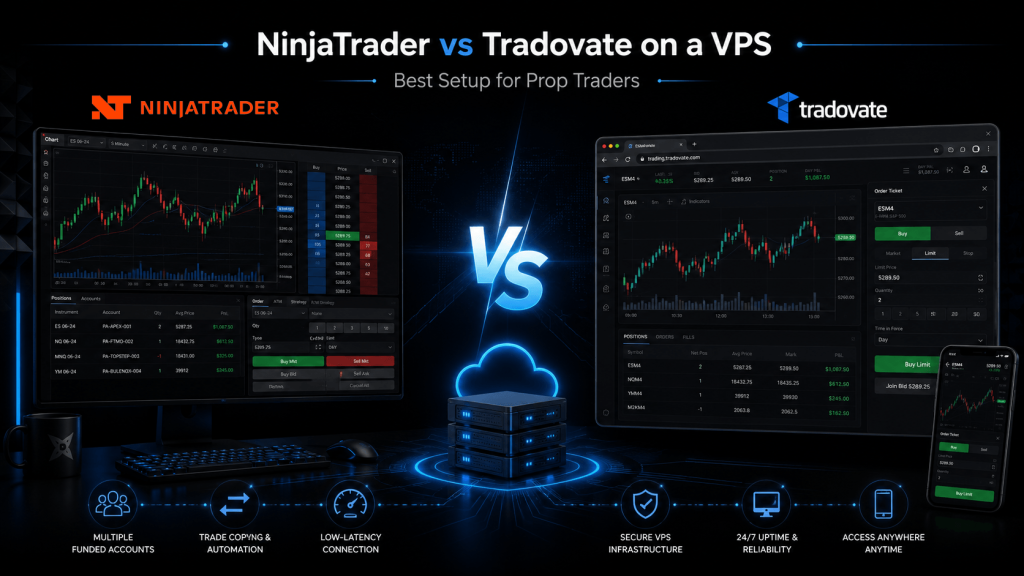
Introduction
Prop trading has changed a lot over the last few years. Futures prop firms are no longer just attracting experienced discretionary traders; they are also attracting scalpers, automation users, trade-copier users, and traders running multiple evaluation accounts at the same time.
Because of that, platform choice matters more than ever.
Two of the most common names in futures prop trading are NinjaTrader and Tradovate. Both are widely used in the futures ecosystem, and both are connected through the same broader NinjaTrader group structure after NinjaTrader acquired Tradovate in 2022. NinjaTrader later became part of Kraken after Kraken completed its acquisition of NinjaTrader in May 2025, while NinjaTrader continued operating as a standalone platform.
That leaves many prop traders asking:
Should I run NinjaTrader on a VPS, or is Tradovate better because it is cloud-based?
The best answer depends on how you trade. For many serious prop traders, NinjaTrader on a Windows VPS is better for advanced execution, automation, custom indicators, and account management. Tradovate is better for simplicity, browser-based trading, mobile flexibility, and traders who do not need a heavy desktop setup.
This guide breaks down both setups from a prop trader’s point of view.
Quick Answer: Which Is Better?
Choose NinjaTrader on a VPS if you:
Trade actively from a DOM, use custom indicators, run NinjaScript strategies, use trade copiers, manage multiple prop accounts, or want a dedicated Windows trading environment.
Choose Tradovate if you:
Prefer browser-based trading, use Mac, trade from multiple devices, want a simpler setup, or do not rely on custom desktop tools.
Best overall setup for serious prop traders:
For most advanced futures prop traders, NinjaTrader on a good low-latency VPS is the stronger setup.
Best setup for beginners or simple manual traders:
For newer prop traders, Tradovate is usually easier to start with because it is cloud-based and works across devices. Tradovate promotes cross-device futures trading with web, desktop, mobile, and tablet access.
Why VPS Hosting Matters for Prop Traders
A VPS, or Virtual Private Server, is a remote computer that runs 24/7. Instead of running your platform from your home laptop, you install your trading software on a server and access it remotely.
For prop traders, this can be useful because prop trading often depends on:
Stable internet connection, low downtime, consistent platform performance, copier reliability, fast restart after disconnection, and clean separation between trading and personal computer use.
This matters especially for futures traders using platforms such as NinjaTrader because desktop software, indicators, and trade copiers can be sensitive to lag, local crashes, weak internet, or overloaded home computers.
A VPS does not guarantee better trading results. It only improves the technical environment. Poor strategy, emotional trading, rule violations, or bad risk management can still cause account failure.
Current Market Trend: Prop Traders Want Stability, Speed, and Multi-Account Control
The current futures prop trading market is very platform-driven. Many traders now want:
A reliable way to trade multiple accounts, better support for micros and mini futures, cleaner mobile monitoring, TradingView integration, stable execution during volatile sessions, and more flexible browser or VPS-based setups.
NinjaTrader has also pushed further into the prop trading space. In October 2025, NinjaTrader announced NinjaTrader Prop and Tradovate Prop, designed for prop trading firms, with availability through firms including Take Profit Trader, Apex Trader Funding, and MyFunded Futures.
This tells us something important: the platform market is moving toward prop-specific infrastructure, not just traditional retail brokerage tools.
At the same time, Kraken’s acquisition of NinjaTrader shows a broader industry trend: crypto, futures, equities, and multi-asset platforms are increasingly merging into larger trading ecosystems. Kraken said the NinjaTrader deal strengthened its push into professional trading and U.S. futures, while Business Wire reported NinjaTrader would continue as a standalone platform under Kraken.
For prop traders, the key takeaway is simple: platform stability and integration are becoming competitive advantages.
NinjaTrader on a VPS
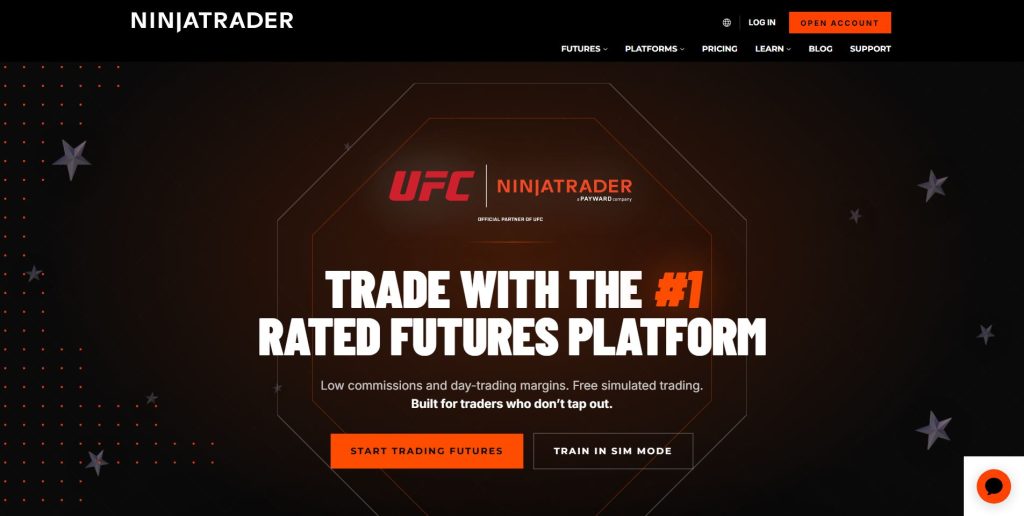
What Is the NinjaTrader VPS Setup?
A NinjaTrader VPS setup means you install NinjaTrader Desktop on a Windows VPS. You then connect to the VPS through Remote Desktop from your home computer, laptop, tablet, or sometimes even a mobile device.
This setup is popular among futures prop traders because NinjaTrader is a powerful desktop platform. NinjaTrader offers desktop, web, and mobile trading access, but its desktop platform remains especially popular for advanced charting, order flow tools, SuperDOM trading, custom indicators, and automated strategies.
Main Benefits of NinjaTrader on a VPS
1. Better for Advanced Futures Traders
NinjaTrader is strong for traders who use advanced charting, order flow analysis, custom indicators, automated strategies, ATM templates, and DOM-based execution.
If you are scalping NQ, ES, MNQ, MES, CL, GC, or other liquid futures contracts, NinjaTrader gives you more control over the trading environment.
2. Better for Automation and NinjaScript
NinjaTrader is popular among strategy builders because it supports custom development through NinjaScript. This makes it attractive for traders who run:
Automated strategies, semi-automated execution tools, custom indicators, risk tools, trade copiers, order management scripts, and alert-based systems.
A VPS is useful here because automation should not depend on your home laptop staying awake, your internet staying stable, or your operating system randomly restarting during market hours.
3. Better for Trade Copiers and Multiple Prop Accounts
Many prop traders use multiple evaluation or funded accounts. In that case, a VPS can help keep copier software, platform connections, and trading sessions running in a more controlled environment.
For example, a trader may want one main account to copy trades across several prop firm accounts. This type of workflow usually fits a Windows VPS and NinjaTrader better than a lightweight browser-only setup.
4. Dedicated Trading Environment
A VPS separates your trading from your personal computer. That means fewer problems from:
Browser tabs, gaming software, video editing tools, personal antivirus scans, random restarts, home Wi-Fi drops, and overloaded CPU or memory.
For prop traders who trade during high-volatility events, this separation can be valuable.
Downsides of NinjaTrader on a VPS
NinjaTrader on a VPS is powerful, but it is not the simplest setup.
The main disadvantages are:
Monthly VPS cost, setup complexity, Windows maintenance, remote desktop learning curve, possible platform crashes if overloaded, and the need to monitor CPU, RAM, latency, and data feed stability.
It is also easy for beginners to overbuild. A trader who only takes two manual trades per day may not need a complex VPS setup.
Tradovate on a VPS
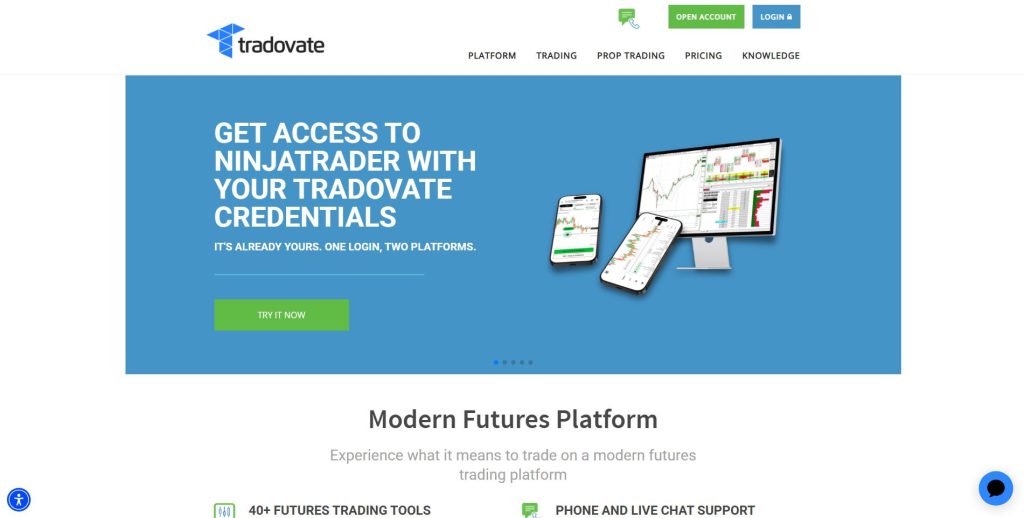
What Is the Tradovate VPS Setup?
Tradovate is known for being cloud-based and browser-friendly. Tradovate promotes seamless cross-device trading across desktop, web, iPad, Android, and iPhone apps.
Because of that, many traders do not need a VPS to use Tradovate. You can often trade directly from a browser or app.
However, some prop traders still run Tradovate on a VPS when they want to:
Keep a browser session open all day, use third-party tools, run TradingView or charting tools beside Tradovate, manage multiple accounts, reduce home internet dependency, or centralize their trading workspace.
Main Benefits of Tradovate
1. Easier for Beginners
Tradovate is generally easier to access and learn. You do not need to install a heavy desktop platform, configure a Windows trading machine, or manage NinjaScript files.
For many newer prop traders, the simpler platform can reduce mistakes.
2. Better for Mac and Mobile Traders
If you use Mac, iPad, or mobile devices often, Tradovate is usually more convenient. A cloud-based setup is naturally better for traders who move between devices.
This is one of Tradovate’s biggest advantages over a traditional desktop-heavy workflow.
3. Good for Simple Manual Trading
If your trading style is simple, Tradovate can be enough.
For example:
You mark key levels, wait for a setup, enter manually, use bracket orders, and monitor your positions from web or mobile.
That trader may not need NinjaTrader on a VPS.
4. TradingView-Friendly Workflow
Many modern prop traders chart on TradingView and execute through a connected broker or supported platform. NinjaTrader has also highlighted TradingView integration in its prop trading materials.
Tradovate has historically been popular among traders who like web-based and third-party charting workflows.
Downsides of Tradovate on a VPS
Tradovate’s biggest strength is also why it may not need a VPS. Since it is already cloud-based, putting it on a VPS may not create as much benefit as putting NinjaTrader Desktop on a VPS.
Tradovate may also feel limited for traders who need:
Heavy customization, NinjaScript strategies, advanced desktop order-flow tools, complex trade copier workflows, or deeply personalized charting layouts.
For advanced prop traders, Tradovate can feel more convenient but less powerful.
NinjaTrader vs Tradovate on a VPS: Side-by-Side Comparison
| Category | NinjaTrader on VPS | Tradovate on VPS |
|---|---|---|
| Best for | Advanced prop traders | Simpler manual traders |
| Platform style | Desktop-first, also web/mobile | Cloud/web-first |
| VPS usefulness | High | Moderate |
| Automation | Stronger | More limited |
| Custom indicators | Stronger | More limited |
| Trade copier workflows | Usually better | Depends on tools |
| Multi-account management | Stronger for advanced setups | Easier but less customizable |
| Beginner friendliness | Lower | Higher |
| Mac friendliness | Requires VPS/remote desktop | Better native flexibility |
| Mobile access | Available, but not the main strength | Stronger |
| Setup difficulty | Medium to high | Low to medium |
| Best use case | Scalping, automation, account copying | Manual trading, simple execution |
Which Setup Is Better for Different Types of Prop Traders?
1. Beginner Prop Traders
Better choice: Tradovate
New traders usually need fewer moving parts. Tradovate’s browser-based approach makes it easier to focus on entries, exits, risk rules, and daily loss limits.
A beginner using NinjaTrader on a VPS may spend too much time managing technical details instead of learning execution discipline.
2. Scalpers
Better choice: NinjaTrader on a VPS
Scalpers usually care about speed, hotkeys, DOM layout, bracket orders, and platform responsiveness. NinjaTrader’s SuperDOM, ATM strategies, and desktop execution tools make it a strong fit for active futures scalping.
A VPS can help keep the platform stable and reduce dependency on home hardware.
3. Traders Running Multiple Prop Accounts
Better choice: NinjaTrader on a VPS
Multi-account traders often need trade copiers, account grouping, custom risk controls, and a stable always-on machine. This is where NinjaTrader on a VPS becomes more attractive.
The VPS gives the trader a central execution station instead of relying on a personal computer.
4. Traders Using Automation
Better choice: NinjaTrader on a VPS
Automated or semi-automated trading usually benefits from a dedicated Windows VPS. If the strategy runs locally, the VPS helps keep it online.
This does not remove trading risk, slippage risk, strategy failure risk, or prop firm rule risk. It only improves the technical environment.
5. Mac Users
Better choice: Tradovate, or NinjaTrader through VPS
Tradovate is easier for Mac users because it is web-based and cross-device friendly. NinjaTrader Desktop is Windows-oriented, so Mac users often use a Windows VPS if they want NinjaTrader’s full desktop functionality.
6. Mobile-First Traders
Better choice: Tradovate
Mobile-first trading is usually better with Tradovate because its platform is designed around web and mobile flexibility. NinjaTrader has mobile apps too, but Tradovate’s cloud-first style is usually more natural for traders who move between devices.
7. Serious Funded Traders
Better choice: NinjaTrader on a VPS
Once a trader is funded and managing risk carefully, platform stability becomes more important. NinjaTrader on a VPS can offer a more professional setup for execution, monitoring, copying, journaling, and account control.
When a VPS Is Worth It
A VPS is worth considering when:
You trade during volatile market hours, use automated strategies, use trade copiers, manage multiple accounts, experience internet problems, trade from a low-powered laptop, need 24/7 platform uptime, or want a dedicated trading machine.
A VPS is less necessary when:
You place only a few manual trades, use one account, have stable internet, do not use automation, do not use trade copiers, and prefer simple browser-based trading.
What Specs Should Prop Traders Look for in a VPS?
For NinjaTrader, do not choose the cheapest VPS possible. NinjaTrader can become resource-heavy if you use many charts, indicators, tick charts, order flow tools, or multiple accounts.
A practical VPS setup should include:
CPU: Strong single-core performance(AMD Ryzen 9 9950X)
RAM: At least 4 GB for light use; 8 GB or more for heavier NinjaTrader setups
Storage: NVMe SSD storage
Operating system: Windows Server or Windows 10/11 environment
Location: Close to futures infrastructure, often Chicago for CME futures traders
Uptime: Strong reliability history
Support: Fast support that understands trading platforms
Backups: Ability to restore quickly if something breaks
For Tradovate, VPS requirements are usually lighter because the platform is cloud-based. But if you run multiple browser windows, TradingView, copier tools, spreadsheets, Discord, journaling software, and other apps, you still need enough RAM and CPU.
Common Mistakes Prop Traders Make With VPS Setups
1. Choosing the Cheapest VPS
Cheap VPS plans may have weak CPU, limited RAM, noisy shared resources, or poor support. That can create platform freezes at the worst time.
2. Overloading NinjaTrader With Too Many Indicators
Even a good VPS can struggle if you run too many charts, tick data tools, custom indicators, and background scripts.
3. Ignoring Prop Firm Rules
A VPS does not protect you from breaking rules. Daily loss limits, trailing drawdowns, consistency rules, scaling rules, and news restrictions still matter.
4. Forgetting Backup Access
Every trader should know how to flatten positions if the VPS, platform, or connection fails.
5. Using a VPS Without Testing
Do not go live on a new VPS without testing platform startup, login, chart loading, order entry, copier behavior, and emergency close procedures.
Best Practical Setup for Prop Traders
For many serious futures prop traders, the best setup looks like this:
Primary execution: NinjaTrader Desktop on a Windows VPS
Charting: NinjaTrader, TradingView, or both
Monitoring: Mobile app or web platform
Risk control: ATM strategies, daily loss tracking, account copier limits
Backup: Broker web/mobile access in case VPS fails
Journal: Separate trade journal or spreadsheet
Routine: Restart and test before each trading session
This setup gives the trader a strong execution base while still allowing mobile monitoring and backup access.
For simpler traders, the best setup may be:
Primary execution: Tradovate web or app
Charting: TradingView or Tradovate charts
Backup: Mobile app
Risk control: Brackets, daily loss discipline, prop firm dashboard
VPS: Optional, not required
Final Verdict: NinjaTrader or Tradovate on a VPS?
NinjaTrader on a VPS is better for advanced prop traders.
It is stronger for scalping, automation, custom indicators, trade copiers, and multi-account workflows.
Tradovate is better for simple, flexible, browser-based trading.
It is easier for beginners, Mac users, mobile-first traders, and traders who do not need a complex desktop environment.
The real decision is not just “NinjaTrader vs Tradovate.” It is:
Do you need a professional desktop trading workstation, or do you need a simple cloud-based execution platform?
For serious prop traders managing multiple accounts or using advanced tools, NinjaTrader on a VPS usually wins.
For traders who value simplicity and mobility, Tradovate is often the better fit.
FAQs
NinjaTrader is usually better for advanced prop traders who use automation, custom indicators, DOM trading, and trade copiers. Tradovate is better for traders who want a simpler browser-based platform.
It depends on the setup, connection, broker routing, market conditions, and trader workflow. NinjaTrader on a well-configured VPS can feel more responsive for advanced desktop execution, while Tradovate may be smoother for web and mobile access.
Tradovate is usually easier for Mac users. NinjaTrader Desktop generally requires a Windows environment, so Mac users often choose a Windows VPS if they want to run NinjaTrader.