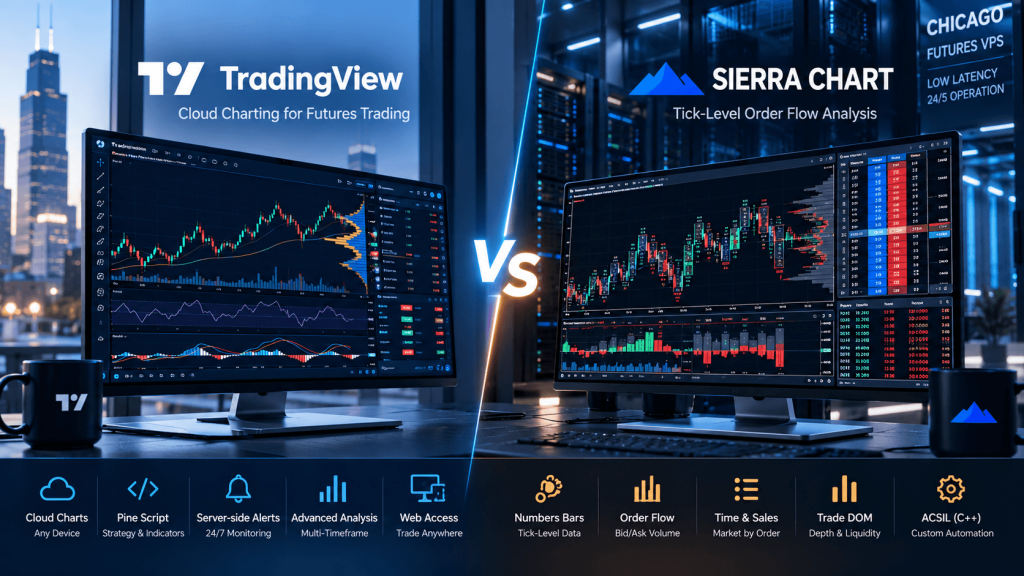
TradingView and Sierra Chart can both be used for futures charting, technical analysis, footprint-style volume analysis, Depth of Market, strategy development, and order execution, but they approach those jobs very differently.
TradingView is a cloud-first charting ecosystem designed around accessibility. Traders can open charts from a browser, use dedicated desktop applications, synchronize layouts across devices, build indicators and strategies with Pine Script, create server-side alerts, and connect supported brokers without maintaining a traditional trading workstation. TradingView has also expanded into order-flow analysis with Volume Footprint charts and broker-connected DOM functionality.
Sierra Chart is much closer to a professional locally running futures workstation. Its strength is detailed tick-by-tick market data, Numbers Bars, bid/ask volume, delta, market depth, Trade DOM, historical depth replay, Market by Order data, custom C++ systems through ACSIL, and direct integration with specialized futures data and order-routing services. Sierra Chart’s Denali feed provides tick-by-tick historical and real-time data, while its order-flow tools are specifically designed around detailed exchange activity.
The practical difference can be summarized simply:
TradingView makes sophisticated charting easier to access.
Sierra Chart gives experienced futures traders much deeper control over tick-level market data and order-flow analysis.
For traders comparing the two in 2026, the better choice depends less on which platform has the longer feature list and more on how deeply the strategy depends on individual trades, bid/ask volume, order-book liquidity, replay accuracy, DOM execution, and custom local automation.
TradingView vs Sierra Chart: The Core Difference
TradingView works well for traders who want to sign in and immediately start analyzing ES, NQ, CL, GC, equities, forex, crypto, or other markets without managing a complex local data environment. Supercharts provide multi-chart layouts, technical indicators, drawing tools, custom Pine scripts, strategy reports, alerts, and broker integrations in a modern interface. TradingView also supports synchronized multi-chart layouts, making it convenient to monitor several timeframes or markets in one workspace.
Sierra Chart requires more configuration but exposes significantly more of the underlying futures market structure. Traders can determine how intraday data is stored, maintain one-trade-per-record tick data, analyze bid and ask volume at individual prices, record historical market depth, build complex chartbooks, configure specialized DOM columns, replay historical depth, and develop custom systems in C++.
A high-level comparison looks like this:
| Feature | TradingView | Sierra Chart |
|---|---|---|
| Main architecture | Cloud-first | Local desktop |
| Ease of use | Easier | Steeper learning curve |
| Main strength | Charting, Pine Script, alerts | Tick data, DOM, order flow |
| Footprint charts | Volume Footprint | Numbers Bars |
| Bid/ask analysis | Available | Extensive |
| Market depth | Broker-dependent DOM | Advanced Trade/Chart DOM |
| Market by Order | Limited by integration | Supported with qualifying Denali setup |
| Historical depth replay | Limited | Advanced |
| Bar replay | Easy visual replay | Detailed Chart Replay |
| Strategy language | Pine Script | C++ ACSIL |
| Server-side alerts | Yes | Primarily local platform |
| Local automated trading | Not Pine’s core execution model | Native ACSIL capability |
| VPS relevance | Usually low | High for always-on workflows |
Neither platform wins every category.
TradingView prioritizes simplicity.
Sierra Chart prioritizes control.
Why TradingView Is Easier for Cloud Charting and Technical Analysis
For most traders, TradingView is easier to learn.
A user can create an account, open an ES chart, add VWAP, moving averages, volume profiles, custom indicators, drawings, and alerts without first configuring a desktop data service or learning how historical files are stored locally.
Pine Script makes customization especially accessible. Traders can create indicators and strategies using a language built specifically around chart calculations rather than working inside a full C++ development environment. A trader might define an opening-range breakout, VWAP filter, session condition, and momentum requirement in Pine Script, then display entries visually or create a server-side strategy alert.
TradingView’s alerts are an important architectural advantage. When a strategy alert is created, TradingView runs a copy of that strategy on its own servers independently from the trader’s browser. The local computer therefore does not need to remain switched on simply to keep the alert operating.
That works well for workflows such as:
Pine Script condition → TradingView server alert → notification
or:
TradingView chart → supported broker → discretionary order
TradingView also now offers Volume Footprint charts capable of displaying buy/sell volume, delta, Point of Control, Value Area, imbalances, and stacked imbalances. Alerts can even be created around footprint events such as new or stacked buy/sell imbalances.
That means TradingView should no longer be dismissed as a platform for simple candlestick indicators only.
However, the deeper the strategy moves into exchange-level market microstructure, the more Sierra Chart begins to differentiate itself.
Why Sierra Chart Is Stronger for Tick-Level Order Flow
Sierra Chart’s Numbers Bars are its equivalent of what many traders call footprint charts, but the feature is extremely configurable.
At every price inside a bar, Sierra Chart can display values such as:
- bid volume,
- ask volume,
- total volume,
- number of trades,
- ask-minus-bid difference,
- diagonal bid/ask comparisons,
- dominant-side calculations,
- cumulative delta,
- Point of Control,
- and numerous calculated volume statistics.
Multiple Numbers Bars columns can even be displayed inside one bar so a trader can compare different metrics simultaneously.
For maximum accuracy, Sierra Chart specifically requires a one-tick intraday storage configuration for features such as Numbers Bars and Volume by Price. Sierra defines one tick here as one trade.
Its Denali Exchange Data Feed is built around that requirement. For CME, CBOT, NYMEX, COMEX and other supported markets, Denali provides real-time and historical tick-by-tick data, market depth, historical bid and ask trade volume, and millisecond-stamped depth information. Sierra Chart currently states that popular CME futures have tick-by-tick historical data reaching back to 2011, with older history available at lower granularity.
This can matter for traders whose strategy asks questions like:
Where did aggressive buyers actually transact?
Was the positive delta concentrated at the high or distributed through the bar?
Did high volume occur without meaningful price continuation?
Did sellers repeatedly hit the bid at one specific price?
A normal candle cannot answer those questions.
A Numbers Bars chart can.
TradingView Footprints vs Sierra Chart Numbers Bars
This is probably the most important part of the comparison for order-flow traders.
TradingView now has capable footprint functionality, but its methodology differs from Sierra Chart’s traditional tick-level workflow.
TradingView builds Volume Footprint calculations using lower-timeframe intrabar information and assigns buy or sell volume according to its footprint calculation methodology. The amount of intrabar detail available can change depending on plan level and historical depth, meaning older footprint history can be calculated from less granular underlying intervals.
Sierra Chart, by contrast, can store every trade individually when the chart is configured for one-tick storage. Its Numbers Bars can then calculate Bid Volume and Ask Volume at individual prices from that detailed data. Sierra Chart explicitly recommends reliable tick-by-tick data for accurate Numbers Bars calculations.
This does not mean every trader needs Sierra Chart.
If you want to identify:
- footprint imbalance,
- delta,
- high-volume prices,
- stacked imbalance,
- and POC
alongside normal technical analysis, TradingView may provide enough information in a much simpler interface.
If your strategy depends heavily on reconstructing detailed futures activity from individual trades and bid/ask volume, Sierra Chart provides substantially more control over the underlying data.
DOM, Market Depth and Market by Order
Both platforms support DOM-style trading, but once again they approach it differently.
TradingView’s DOM becomes available through connected brokers that provide suitable Level 2 information. The DOM displays broker-supplied bids and asks at multiple price levels and can be used to place, modify, cancel, reverse, or close orders. Importantly, TradingView notes that the DOM data originates from the broker, so it can differ from the source used for the main TradingView chart.
Sierra Chart’s Trade DOM is more deeply integrated into its order-flow environment.
The platform can combine DOM trading with historical market-depth information, pulling/stacking calculations, Time and Sales, Numbers Bars, and detailed exchange data. Sierra Chart can also record and replay historical depth when suitable data is available.
Sierra Chart goes further with Market by Order, or MBO, through supported Denali configurations.
Standard market depth tells you something like:
4,000 contracts resting at the bid
MBO can provide information about some of the individual limit orders making up that total quantity.
Sierra Chart currently supports MBO for markets including CME, CBOT, NYMEX and COMEX through supported Denali service configurations. Its DOM can display individual qualifying orders within the queue at a price level. However, Sierra notes that MBO information is not recorded historically and that it currently transmits orders meeting its configured minimum-size threshold rather than representing every individual order in the book.
For sophisticated DOM traders, this gives Sierra Chart a meaningful advantage.
Historical Replay Is Much Deeper in Sierra Chart
TradingView’s Bar Replay is designed to be straightforward.
Traders can choose a historical point, play the market forward, move bar by bar, change playback speed, and synchronize replay across multiple charts. This is very useful for practicing price-action setups and evaluating how indicators behaved historically.
There is an important limitation for this particular comparison: TradingView currently states that Volume Footprint charts are not supported in Bar Replay. Tick-based charts are also excluded from Bar Replay.
That matters for dedicated order-flow traders.
Sierra Chart’s Chart Replay can work directly with tick-by-tick trades and, when historical depth data is available, can replay the order book as well. Time and Sales can display individual historical trades during replay, and multiple charts plus a Trade DOM can be synchronized together.
A Sierra replay setup can therefore approximate:
historical tick stream → footprint/Numbers Bars → Time & Sales → historical DOM → simulated trading
That makes it especially useful for practicing futures scalping or reviewing a specific ES or NQ session at a deeper level than candle-by-candle replay.
Pine Script vs ACSIL Automation
TradingView uses Pine Script, which is one of its biggest advantages for traders who want to build custom chart logic without becoming traditional software developers.
Pine is well suited to:
- indicators,
- screen conditions,
- strategies,
- signal generation,
- chart annotations,
- and alerts.
TradingView strategies can be historically analyzed and can trigger server-side alerts when simulated strategy orders occur in real time. But Pine strategy calculations are not equivalent to running a locally connected futures execution engine directly against an exchange connection.
Sierra Chart provides ACSIL — Advanced Custom Study Interface and Language.
ACSIL is C++ based and allows developers to build custom studies and automated trading systems with direct programmatic access to Sierra Chart’s data and trading environment. Automated studies can submit and manage orders, access positions, process tick data, read market depth, and work with both managed and unmanaged trading logic.
Sierra Chart also supports automated-system backtesting through either bar-based testing or detailed chart replay. Bar-based testing is faster but less precise, while replay-based testing can process the market incrementally using the loaded data.
The tradeoff is clear:
Pine Script is easier.
ACSIL provides deeper low-level control.
For a simple VWAP-and-moving-average strategy, Pine may be dramatically faster to develop.
For an execution system analyzing market depth, individual trades, custom DOM conditions, and advanced futures order management, ACSIL provides capabilities closer to conventional trading-system development.
Data Feeds and Order Routing Matter More With Sierra Chart
TradingView abstracts much of the data-feed complexity from the user.
You choose a symbol, subscribe to required exchange data where necessary, and TradingView handles much of the chart-data environment. When trading through a broker, the broker connection supplies execution functionality and may also supply data used by tools such as the DOM.
Sierra Chart makes the data architecture much more visible.
Its Denali Exchange Data Feed can provide the detailed market data used for charts, Numbers Bars, historical tick analysis, market depth, and supported MBO functionality. The feed is separate from the trader’s brokerage relationship and can work with supported trading services.
For execution, Sierra Chart also offers its Teton Futures Order Routing infrastructure through supported clearing relationships. Sierra Chart documents server-side order handling and specialized routing functionality for Teton-based futures environments.
This separation can be valuable because the trader can think of the system as:
Denali → market data
Sierra Chart → analysis and trading workstation
supported routing/broker connection → execution
rather than assuming the broker must supply every component of the trading environment.
It also means Sierra Chart requires more technical understanding.
Do TradingView or Sierra Chart Need a VPS?
For normal TradingView use, usually not.
TradingView is already cloud-first, and server-side alerts continue operating after the user’s computer has been switched off. Keeping TradingView open on a Windows VPS simply to preserve an alert is therefore unnecessary.
A VPS may become relevant for TradingView only when the broader workflow includes a local component, such as:
TradingView webhook → custom execution service
alert → Python/Node application → broker API
local trade copier
or another process that has to remain online continuously.
Sierra Chart is different.
Sierra Chart is designed primarily as 64-bit Windows software. It can be run through Wine on other operating systems, but Sierra Chart’s own documentation states that the application is designed for Microsoft Windows and does not provide support for alternative operating-system configurations using Wine.
If an ACSIL system, Trade DOM, data connection, trade copier, or other local Sierra Chart function must stay active during the futures trading week, the machine running Sierra Chart also needs to stay active.
That makes a Windows trading VPS much more relevant.
For CME-focused trading, Chicago is a logical location to evaluate because much of the futures execution ecosystem is concentrated around the Chicago/Aurora region. A Chicago VPS can remove the trader’s home PC, residential Internet, local Wi-Fi, and household power from the critical runtime path.
A typical setup becomes:
Trader’s laptop → Remote Desktop → Chicago VPS → Sierra Chart → data/routing provider → futures market
For Sierra Chart order-flow use, prioritize a fast CPU, sufficient RAM, NVMe storage, and a stable network rather than simply purchasing the highest core count available. Tick-level historical files, multiple Number Bars charts, market-depth recording, DOMs, and replay workloads can all increase storage and CPU demand.
A VPS does not guarantee faster fills, perfect uptime, or zero latency. Its primary value is providing a persistent and controlled environment for software that genuinely needs to keep running.
TradingView vs Sierra Chart: Which One Should You Choose?
TradingView is generally the better fit if you want:
- straightforward setup,
- modern cloud charting,
- access from multiple operating systems and devices,
- Pine Script,
- server-side alerts,
- a large indicator ecosystem,
- multi-market analysis,
- and basic-to-intermediate footprint/DOM functionality.
Sierra Chart is generally the better fit if you want:
- one-tick futures data,
- detailed bid/ask volume analysis,
- highly configurable Numbers Bars,
- advanced DOM trading,
- historical market-depth replay,
- Market by Order,
- deep Time and Sales analysis,
- C++ automated systems,
- or maximum control over how futures data is stored and processed.
A hybrid workflow is also completely reasonable.
For example:
TradingView → broad market scanning, higher-timeframe charts and alerts
Sierra Chart → ES/NQ Numbers Bars, DOM, order flow and execution
TradingView can tell the trader where an opportunity may be developing.
Sierra Chart can then provide a much closer view of what is actually happening inside the order flow.
Frequently Asked Questions About TradingView vs Sierra Chart
For advanced tick-level futures order-flow analysis, Sierra Chart provides deeper functionality through Numbers Bars, detailed bid/ask volume, tick-by-tick storage, historical market depth, Trade DOM, Time and Sales, and MBO support.
Yes. TradingView supports Volume Footprint charts with buy/sell volume, delta, POC, Value Area and imbalance analysis.
Yes. Sierra Chart calls its primary footprint-style tool Numbers Bars, which can display multiple forms of bid/ask volume, delta and volume information at each price level.
For most traders, yes. Pine Script is purpose-built for TradingView indicators and strategies, whereas ACSIL is a C++ development interface offering considerably deeper control.
For CME-focused futures workflows, Chicago is a logical region to test because of the Chicago/Aurora futures infrastructure ecosystem. Actual network performance still depends on the selected data, broker, clearing and order-routing path.
Final Thoughts: TradingView for Convenience, Sierra Chart for Market Microstructure
The difference between TradingView vs Sierra Chart is not that one platform is professional and the other is not.
Both can support serious futures traders.
They simply optimize for different priorities.
TradingView makes sophisticated charting easy. A trader can open a browser, analyze multiple markets, build a Pine Script indicator, create an alert and access the same overall ecosystem across different devices without maintaining a dedicated trading computer.
TradingView’s footprint and DOM functionality also means many traders can now perform meaningful order-flow analysis without leaving the platform.
Sierra Chart takes the opposite approach.
It gives the trader greater control over the raw building blocks of futures trading: individual trades, tick storage, bid/ask volume, Numbers Bars, Time and Sales, market depth, historical depth replay, MBO data, local automated systems and specialized futures routing infrastructure.
That greater control comes with a steeper learning curve.
The practical distinction is therefore:
TradingView is easier when the chart is the center of the trading process.
Sierra Chart is stronger when the exchange data itself becomes the center of the trading process.
If your strategy mainly uses price structure, technical indicators, higher timeframes, alerts and discretionary chart analysis, TradingView may provide everything you need with considerably less configuration.
If your edge depends on understanding exactly how volume traded at individual prices, how buyers and sellers interacted with the bid and ask, how liquidity changed in the DOM, and how those conditions behaved during historical tick-level replay, Sierra Chart becomes much more compelling.
The VPS decision follows the same pattern.
TradingView already moves much of its infrastructure to the cloud.
Sierra Chart keeps much of the trading environment on the machine running the software.
For an always-on Sierra Chart futures setup, a properly configured Chicago trading VPS can therefore become an important infrastructure component—not because a VPS creates a trading edge by itself, but because it gives the local platform, market-data connection, DOM and automated systems a persistent environment in which to operate.
This article is provided for general technical and educational purposes only and does not constitute financial, investment, legal, or trading advice. Futures trading involves substantial risk. Platform functionality, service packages, exchange-data subscriptions, broker support, routing options and software requirements can change. Always verify current TradingView, Sierra Chart, broker and data-provider documentation before relying on a production trading setup.