
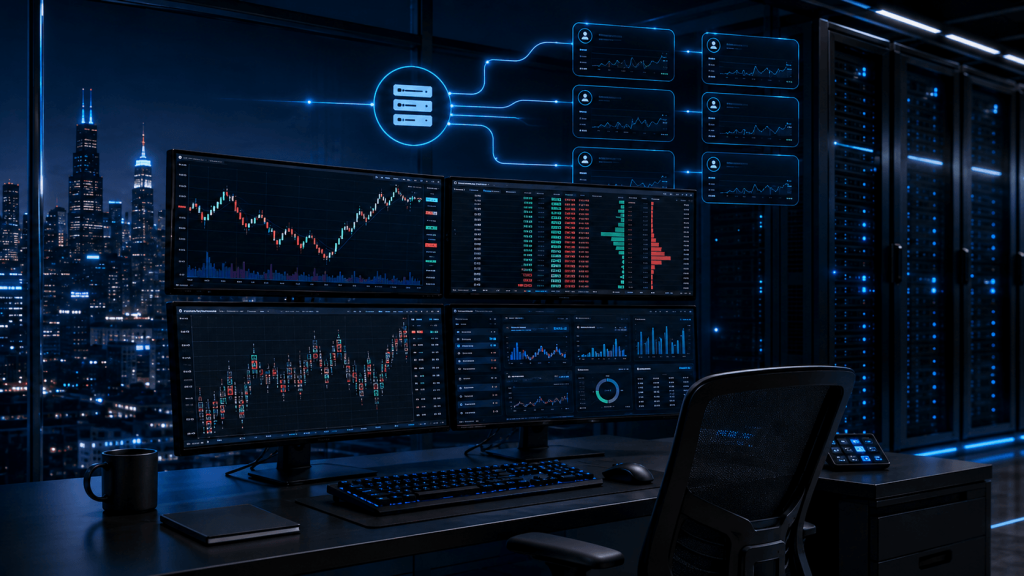
Futures prop trading has become increasingly technology-dependent. A trader may be managing NinjaTrader charts, Rithmic or CQG connections, order-flow tools, trade copiers, multiple funded or evaluation accounts, custom indicators, and automated or semi-automated workflows from the same computer. When all of those processes depend on a home PC, residential Internet connection, and local power supply, the technology underneath the trading setup becomes another point of operational risk.
That is why traders searching for the best VPS for prop firm futures trading should look beyond headline claims about speed. A useful futures VPS should provide a stable Windows environment, enough CPU and RAM for the actual platform workload, reliable remote access, suitable network routing to the trader’s broker or data provider, and enough flexibility to scale as the setup becomes more demanding.
There is another factor that matters just as much in 2026: prop-firm compliance. A VPS should never be used to hide a trader’s identity, disguise a location, bypass geographical restrictions, share an account, or circumvent a firm’s technical controls. Every firm sets its own rules, and those rules can differ between evaluation, simulated-funded, and live-funded stages.
The right way to think about the relationship is simple: your prop firm defines what trading activity is permitted; your VPS provides the infrastructure for running that permitted setup reliably.
What Is a Futures Prop Firm VPS and Why Do Traders Use One?
A futures prop firm VPS is a remote virtual server used to run trading platforms and supporting software instead of relying entirely on the trader’s home computer. The trader connects to the server through Remote Desktop or another approved remote-access method, while applications such as NinjaTrader, R|Trader Pro, Sierra Chart, Quantower, or other supported software operate inside the remote Windows environment.
The major difference is where the trading workload actually lives. In a home-only setup, the platform depends on the trader’s local electricity, router, ISP, operating system, and personal computer. If the home Internet connection fails, the platform may lose connectivity. If the computer restarts, enters sleep mode, or crashes, the trading environment can stop. With a VPS, the trading software runs remotely in a data center. A home Internet outage can prevent the trader from viewing the remote desktop temporarily, but it does not automatically shut down the server itself.
For prop traders, this can be useful because trading setups are often more complex than a single chart and one manual order-entry window. A trader may have several charts, custom indicators, a DOM, a market-data connection, R|Trader Pro, a permitted trade copier, multiple accounts, and perhaps another application open for analytics. Each process consumes memory and processor resources, and the environment may need to remain stable throughout long futures sessions.
Remote access is another practical advantage. Instead of transferring configurations between different computers, a trader can keep the main platform environment on one server and access that environment from a laptop or another authorized device. The workspace, charts, installed tools, and platform settings remain in one location.
A VPS can also reduce dependence on household power and networking equipment. It does not eliminate broker outages, platform errors, market-data failures, exchange maintenance, slippage, or market risk. It simply moves the trading environment away from many local failure points and places it in infrastructure intended to operate continuously.
That distinction is important because the purpose of a prop trading VPS is operational consistency, not a promise of better fills, greater profitability, or successful evaluations.
Can You Use a VPS With a Futures Prop Firm?
Using a VPS is technically possible with many futures trading platforms, but whether a particular configuration is permitted depends on the rules of the prop firm, the account type, the platform, and how the VPS is being used.
There should never be a universal assumption that “VPS allowed” applies across every firm.
Prop firms may maintain rules concerning VPNs, cloud servers, account access, geographic restrictions, automation, copy trading, IP addresses, simultaneous accounts, third-party access, and technology that could be considered abusive or designed to exploit simulated trading conditions. These policies can also change, which means an article or forum post from six months ago may no longer reflect the rules governing a trader’s account today.
For example, Topstep‘s current prohibited-conduct guidance states that VPNs, proxy services, TOR, geolocation-obfuscation tools, and other identity-masking services are not permitted. It also prohibits circumventing geographical or technical restrictions and using unfair technology designed to manipulate or gain an inappropriate advantage within its program.
That does not justify converting the rule into a simplified claim that every remote server configuration is either universally permitted or prohibited. The practical lesson is that traders must understand exactly what technology they intend to use and verify it against the firm’s current terms.
Apex provides another example of why careful wording matters. Its current live-program FAQ states that automation and trading algorithms are not allowed in its live program. It also addresses VPNs, proxy servers, and cloud servers when they are being used to misrepresent or conceal identity, device, or location, or to evade rules and geographic restrictions.
This is why a VPS should never be promoted as a way to “get around” prop-firm controls. Its legitimate value is infrastructure: hosting an approved trading environment, improving remote accessibility, separating the platform from a home connection, and supplying sufficient computing resources for the trader’s permitted workflow.
Before configuring a futures prop firm VPS, check the firm’s latest rules concerning remote servers, VPNs, location, automation, trade copying, account ownership, and multiple-account trading. If the wording is unclear, obtaining confirmation from the firm’s support team is safer than relying on assumptions from social media or another trader’s experience.
VPS, VPN, and Remote Desktop Are Not the Same Thing
These terms are often used interchangeably in trading discussions, but they describe different technologies.
A VPN typically routes Internet traffic through another network endpoint. A VPS is a remote computer on which applications can run. Remote Desktop is a method of viewing and controlling a Windows environment from another device.
A trader can therefore use Remote Desktop to access a VPS without that automatically meaning the trader is using a traditional consumer VPN. Prop firms may nevertheless have rules that address cloud infrastructure, remote access, IP consistency, or geographic location separately, so the technical distinction does not override the firm’s terms.
The safest approach is transparency. Use infrastructure for stability and accessibility, not identity masking or policy circumvention.
Why Chicago Is Important for Futures Prop Trading
Server location can matter in futures trading because the trading platform still needs to communicate with external infrastructure such as a broker, FCM, market-data network, or execution gateway. Many U.S. futures workflows have important infrastructure in the Chicago area, which is why Chicago has become a common server location for futures-focused VPS services.
However, traders should understand what location can and cannot accomplish.
The relevant network path for an automated process running on a VPS is primarily the path between the VPS and the broker, data provider, or gateway used by the application. Moving the platform closer to that infrastructure can reduce unnecessary network distance, depending on routing.
For a manual trader connected through Remote Desktop, there are two paths to consider. The trader’s mouse click and screen interaction still have to travel between the trader and the VPS, while the trading platform communicates separately from the VPS to its external connection. A Chicago server can therefore improve the infrastructure side of the connection without making the trader’s physical distance completely irrelevant to the responsiveness of the remote desktop.
This is why the phrase “Chicago VPS” should not be interpreted as a guarantee of a particular execution result. Actual network latency depends on the destination server, ISP routing, broker infrastructure, data provider, congestion, and other technical factors.
For traders using Rithmic, for example, the current Rithmic platform documentation shows support for CME Group connectivity and a range of third-party platforms including NinjaTrader, Sierra Chart, Quantower, Bookmap, MultiCharts, and others.
TradingVPS’s Chicago infrastructure is built specifically around futures workloads and currently lists compatibility with NinjaTrader, Tradovate, Quantower, Sierra Chart, Rithmic, CQG, Interactive Brokers, and several other commonly used futures platforms and connections. The current Chicago Ryzen plans use AMD Ryzen 9 9950X processors, DDR5 memory, NVMe storage, dedicated IPv4 addresses, and Windows Server 2022 or Ubuntu environments.
For a prop trader, the more useful question is therefore not simply, “Is Chicago close to me?” It is, “How well does this server location connect to the trading infrastructure my platform actually uses?”
Best VPS Specifications for Prop Firm Futures Trading
Choosing a VPS based only on the cheapest plan can create problems later because futures platform workloads vary considerably. One trader may use a single NinjaTrader workspace with a few charts. Another may run several platform instances, a trade copier, order-flow tools, R|Trader Pro, multiple data connections, custom indicators, and numerous accounts at the same time.
The number of accounts alone does not determine how much computing power is required. What matters more is the number of active platform processes, charts, indicators, DOM windows, data streams, automation processes, and supporting applications running simultaneously.
A useful starting framework looks like this:
| Trading environment | Suggested starting resources |
|---|---|
| One light platform setup with a few basic charts | 2 CPU cores / 8 GB RAM |
| Several charts and indicators | 4 CPU cores / 16 GB RAM |
| NinjaTrader plus copier or multi-account workflow | 4–6 CPU cores / 16–24 GB RAM |
| Heavy order flow, several workspaces, or multiple platforms | 6–8 CPU cores / 24–32 GB RAM |
| Large multi-platform professional environment | 8+ CPU cores / 32–64 GB RAM |
These are practical starting points rather than universal requirements. Actual usage should be monitored after installation.
NinjaTrader’s own current documentation lists 8 GB of RAM, a quad-core 64-bit processor of 2 GHz or faster, and SSD storage among its recommended specifications. It also notes that actual resource requirements depend on how NinjaTrader is being used and that additional memory can be beneficial for more demanding workloads.
A prop trader running a large number of charts, custom NinjaScript indicators, Market Analyzer windows, order-flow tools, or multiple instances can therefore require substantially more than the minimum needed simply to launch the platform.
TradingVPS‘s current Chicago Ryzen lineup scales from 1 CPU core with 4 GB RAM through 16 CPU cores with 64 GB RAM, giving traders room to move into a larger environment as the workload increases. TradingVPS Chicago VPS plans The better way to select a plan is to start with the applications you expect to run and leave enough headroom so that the server is not consistently operating near its memory or CPU limits.
NinjaTrader and Rithmic Setups
NinjaTrader is one of the most common platforms associated with futures prop trading, and its workload can range from extremely light to very demanding. A basic workspace with a small number of charts may operate comfortably on modest resources, while several workspaces with Order Flow+, custom indicators, NinjaScript strategies, multiple DOMs, and a trade-copying application can require significantly more CPU and memory.
High single-core performance remains important, but modern trading applications also make use of multiple processor cores depending on the tasks being performed. The best configuration should therefore balance strong processor performance with sufficient memory rather than treating the number of CPU cores as the only relevant specification.
Rithmic-based environments also deserve careful configuration. Rithmic’s current connection guidance specifically warns that connecting two applications directly to the same data feed at the same time can cause the first connection to disconnect. For workflows that need multiple applications, Rithmic instructs users to use the appropriate R|Trader Pro Plugin Mode configuration.
This is an excellent example of why buying a larger VPS does not automatically solve every trading-platform problem. Some issues are architectural rather than resource-related. A server can have 64 GB of RAM and still experience connection problems if the applications are configured incorrectly.
For traders who rely on NinjaTrader and Rithmic, the best futures prop firm VPS should therefore provide enough resources for the platform while also supporting a clean, correctly configured environment.
Tradovate, Sierra Chart, and Quantower
Not every platform benefits from a VPS in exactly the same way.
Tradovate is a cloud-based futures platform available through desktop, browser, and mobile interfaces. Its official platform information emphasizes multi-device access and cloud-based functionality. Tradovate platform information For a trader who uses only the browser platform manually, running Tradovate itself on a VPS may not be necessary.
The situation changes when the overall workflow includes additional Windows applications, external analysis software, permitted trade-management tools, or other desktop processes that need to remain in one persistent environment. In that case, the value of the VPS may come from hosting the broader trading workspace rather than simply hosting a browser tab.
Sierra Chart and Quantower can also create heavier workloads depending on configuration. Order-flow charts, footprint-style displays, large amounts of historical data, numerous studies, multiple symbols, and several workspaces can all increase memory and processor usage. The correct VPS size should therefore be based on measured workload rather than platform name alone.
This is where a scalable VPS is useful. A trader does not need to predict the perfect server size permanently. The important thing is to start with enough capacity for the current environment and have a practical upgrade path as the setup becomes more complex.
Best VPS for Multiple Prop Firm Accounts
Multi-account trading is one of the areas where traders most commonly misunderstand VPS requirements.
A trader with ten connected accounts does not automatically need twice the computing resources of a trader with five accounts. The actual workload depends on how those accounts are being controlled.
Consider one setup running a single NinjaTrader instance, four charts, and one permitted account-management process connected to several accounts. That may consume fewer resources than another trader running three separate NinjaTrader instances, several Rithmic connections, Quantower, order-flow charts, a browser, custom indicators, and multiple data feeds, even if the second trader has fewer total accounts.
The better question is not, “How many prop accounts do I have?”
It is, “How many active applications, charts, data feeds, indicators, and account-management processes does my server need to handle at once?”
Trade copying also introduces a compliance issue. A technically capable VPS does not determine whether copying is permitted. The prop firm’s current rules do. Some firms may permit certain forms of copying between accounts owned by the same trader, while others may restrict particular workflows, account types, or automation. Those policies should be checked before any copier is installed or configured.
If Rithmic is part of the workflow, configuration becomes even more important because simultaneous platform connections can require the correct R|Trader Pro architecture. Rithmic also currently offers server-side trade-copying and follower technologies within its own infrastructure, but availability and permitted use ultimately depend on the broker, funding evaluator, credentials, and account rules involved.
For multi-account traders, stability often comes from simplicity. Avoid installing unnecessary applications, avoid running duplicate platform processes without a reason, monitor CPU and memory usage, and understand how every account connection reaches the broker or data provider.
A VPS should make the environment easier to operate, not turn it into an unnecessarily complicated collection of background processes.
Prop Firm VPS vs Home Trading PC
A high-end home PC can be extremely powerful. The reason traders choose a VPS is therefore not necessarily because a remote server has more raw computing power than their personal workstation. The advantage is usually the operating environment.
A home PC remains dependent on household electricity, the home ISP, modem, router, operating-system behavior, and whether the machine stays powered and connected. A VPS moves that primary environment into a remote data center and allows the trader to access it when needed.
| Consideration | Home PC | Trading VPS |
|---|---|---|
| Home Internet outage | Platform may disconnect | Remote server can remain online |
| Home power outage | Platform normally stops | VPS is independent of home power |
| Remote access | Requires configuration | Designed for remote access |
| Overnight operation | PC must remain running | Server remains remotely hosted |
| Dedicated environment | Shares personal PC resources | Can be reserved for trading software |
| Hardware scaling | Physical upgrade required | Plan can usually be upgraded |
| Chicago server location | Depends on trader | Available through futures-focused hosting |
The table should not be interpreted to mean that a VPS eliminates downtime. A data center can experience technical problems, Windows can require maintenance, a platform can crash, a broker can go offline, and an exchange can halt a market.
The important benefit is that fewer of those risks are tied directly to what is happening inside the trader’s home.
There is also a practical lifestyle advantage. A trader can close a laptop without shutting down the remote server. The main trading workspace does not need to be rebuilt on a second computer. If the trader is away from the primary desk, the same environment can still be reached from another authorized device when appropriate.
For traders who only trade manually for a short session and have reliable home infrastructure, a VPS may be optional. For someone running persistent platform processes, multi-account workflows, permitted automation, or resource-intensive applications, the continuity benefits can become more meaningful.
How to Choose the Right TradingVPS Plan for Prop Firm Trading
The best VPS for prop firm futures trading is not automatically the largest plan. It is the smallest configuration that can comfortably handle the intended workload while leaving enough headroom for busier periods.
For a lightweight setup, a trader may only need a modest Windows environment. Once several charts, custom indicators, data connections, or multiple applications are added, memory and CPU requirements can increase quickly.
TradingVPS currently offers Chicago Ryzen plans using AMD Ryzen 9 9950X processors, DDR5 memory, NVMe storage, dedicated IPv4 addresses, and Windows Server 2022 support. The available configurations range from 1 core and 4 GB RAM up to 16 cores and 64 GB RAM.
For most serious prop-trading workflows, choosing solely on minimum memory is usually not the best approach. Windows itself consumes resources, and the trading platform has to share what remains with charts, market data, indicators, browser processes, R|Trader Pro, and other applications.
A trader running one or two simple charts may have very different requirements from someone operating several NinjaTrader workspaces with order-flow tools. Monitoring Windows Task Manager during a representative trading session can provide useful information about whether CPU or memory consumption is consistently approaching its limit.
Storage also matters, although it is often less visible than CPU and RAM. Historical data, platform databases, logs, market replay files, backups, and downloaded updates can accumulate over time. NVMe storage can help with application responsiveness and data-intensive tasks, but the server still needs enough free capacity to operate normally.
A dedicated IPv4 address can also create a more consistent server identity compared with consumer Internet environments where the public IP may change. That does not mean an IP address should be used to bypass a prop firm’s location policy. Compliance with the firm’s requirements remains the trader’s responsibility.
The final consideration is support. Traders often discover technical problems outside regular business hours because futures sessions extend well beyond the stock-market day. The value of trading-focused support is not that the host can troubleshoot a trader’s strategy or broker account, but that the infrastructure provider understands the type of environment being hosted.
TradingVPS fits naturally into this category because its Chicago offering is designed around futures platforms rather than generic website hosting. For a prop trader, that specialization can simplify the process of choosing a server with appropriate Windows support, CPU resources, memory, storage, and location.
Frequently Asked Questions About VPS Hosting for Prop Firm Futures Trading
Not necessarily. A trader using a simple manual setup on a reliable home computer may not need a VPS. A VPS becomes more useful when the trading environment needs to remain remotely available, when multiple applications or accounts are involved, or when the trader wants to reduce dependence on home power and Internet connectivity.
There is no universally best location because the ideal server depends on the broker, data provider, gateway, and platform being used. Chicago is commonly chosen for U.S. futures workflows because significant futures infrastructure is located in the region. Actual latency should be tested to the specific destination whenever possible.
Yes, NinjaTrader supports Windows Server environments that meet its system requirements. The amount of CPU and RAM required depends on the number of charts, indicators, strategies, workspaces, and other processes being used. NinjaTrader currently recommends a modern quad-core processor, 8 GB RAM, and SSD storage as a general recommended configuration, although heavier setups may require more.
Technically, a VPS can have enough resources to operate multiple accounts and applications. Whether the specific account arrangement, copying method, platform, or workflow is allowed depends on each prop firm’s current rules. Traders should verify those rules before configuring multi-account trading.
Eight GB may be sufficient for a relatively light setup, but multi-chart environments, order-flow tools, custom indicators, multiple platform instances, and supporting applications can justify 16 GB, 24 GB, 32 GB, or more. Actual resource usage is a better guide than the number of trading accounts alone.
A VPS can technically host compatible trade-copying software, but technical capability is not the same as permission. The prop firm’s current rules should be checked before copying trades between any accounts, and the trader should confirm that the copier and account configuration comply with those rules.
Final Thoughts: The Best Prop Firm VPS Is Built Around Your Actual Setup
Choosing the best VPS for prop firm futures trading is ultimately less about finding the server with the biggest specification numbers and more about matching infrastructure to the actual workflow.
A lightweight manual trader does not need the same resources as someone operating NinjaTrader, R|Trader Pro, multiple order-flow charts, a permitted copier, custom indicators, and several account connections. CPU performance, memory, storage, server location, platform compatibility, remote accessibility, and the ability to scale all matter, but they need to be evaluated as part of one environment rather than in isolation.
Chicago can be a logical hosting location for many U.S. futures traders because of its proximity to important futures connectivity, but network routing to the trader’s actual broker or data provider remains the more meaningful measurement. Likewise, a powerful VPS cannot fix an incorrectly configured Rithmic connection, a platform problem, or an underperforming trading strategy.
Most importantly, the infrastructure must remain compliant with the prop firm’s rules. A VPS should support a legitimate trading workflow, never conceal identity, bypass location restrictions, share account access, or circumvent technical controls.
For traders who need a persistent Windows environment for NinjaTrader, Rithmic, Quantower, Sierra Chart, or other supported futures platforms, TradingVPS provides Chicago-based infrastructure with scalable Ryzen CPU, DDR5 memory, NVMe storage, dedicated IPv4, and configurations ranging from lightweight setups to larger multi-platform environments.
The purpose is not to promise better trading results. It is to provide a stable technical foundation so the trader can focus on the part the VPS cannot control: the trading decisions themselves.
Your prop firm sets the rules. Your trading strategy determines the decisions. Your VPS should simply provide the reliable infrastructure needed to run the permitted setup.