Buying a powerful Virtual Private Server (VPS) is easy. Creating the correct trading environment for automation is much more difficult.
Even if a futures trader has a high-spec server, a premium futures trading platform, and a direct data connection, they can still experience slowdowns in the platform, missed signals, or erratic automated trading strategies. The issue is not necessarily that VPS is “slow”. Rather, the VPS is not a good match for the trading software, data workload, strategy code, and physical location.
For instance, a workspace with 30 charts and a lot of custom indicators, such as an automated order-flow indicator, will require different resources than a workspace that only uses one timeframe. Sierra Chart has its own specific hardware requirements, and Tradovate takes an automation approach with a cloud-based system. Moreover, routing via Rithmic versus CQG stresses different aspects of your tech stack.
What really counts is the CPU architecture, data resolution, geographic proximity to CME, and operational safeguards that ensure automated strategies can continue to trade without unmanaged risk overnight.
1. Start With Your Trading Strategy, Not the Server Specs
One of the most common errors that systematic traders commit is selecting a server first and then considering their workload. A server with a lot of cores may sound great, but if you’re not using parallel processing, you’re wasting money.
The best infrastructure starts with defining your strategy:
- Bar-based strategies: A simple moving average crossover with a 15-minute chart uses very little CPU and RAM.
- Tick-based strategies: Algorithms that calculate data on each price change demand significantly higher speeds of each core processor; otherwise, they will lag behind during processing.
- Order-flow strategies: With order-flow data such as Market-By-Order (MBO) data or footprint charts, you need to process a lot of data across multiple instruments, which requires massive memory bandwidth and high-capacity RAM.
- Multi-platform systems: If you are going to run multiple platform instances (e.g., NinjaTrader and Sierra Chart), you will need additional CPU cores and separate memory to avoid software contention.
2. Match Your VPS to Your Futures Trading Platform
The amount of servers each trading platform uses determines what hardware you need to focus on.
NinjaTrader: Single-Core Speed and Workspace Discipline
While NinjaTrader 8 is a very powerful, C# based environment, its execution logic and charting are very much geared towards single-thread performance. The platform makes use of multi-threading for background tasks, but the main idea behind the NinjaScript strategy execution is much better served by a processor that can operate at a high clock speed than dozens of slower server cores.
In addition, NinjaTrader’s RAM usage is directly proportional to the size of your workspace. Using multiple SuperDOM windows, loading large historical data sets, and using Tick Replay will quickly eat up available memory. Scripts that consume many resources require proportionally more headroom. According to NinjaTrader’s own developer documentation, many calls to Print() in a running script can cause a measurable performance decrease.
Sierra Chart: The Need for High-Speed Storage
Sierra Chart is known for being ultra-lightweight and having a C++ architecture. It has much lower CPU overhead than its rivals. It does, however, process, store, and instantly recall massive amounts of granular market depth and historical tick data locally, which is very demanding on the storage drives.
Sierra Chart will freeze on standard SATA drives and on oversold cloud servers. It works best on dedicated NVMe SSD storage as it will not slow down with frequent read/writes.
Tradovate: Connection Continuity for Cloud Automation
Tradovate is a cloud-based platform for futures trading, which means that orders are not sent to your home computer but to its own servers. One of the most common questions traders have is why they need a VPS for a web-based platform. The answer is automated reliability.
If you are using custom API scripts, bridging webhook alerts from TradingView and/or maintaining an active session for automated order management, a brief outage of your home internet will disconnect you. With a VPS, you’ll gain access to Tradovate’s cloud-based system with a reliable connection that’s available around the clock, 24/7, and with enterprise-class security.
3. Rithmic vs. CQG: How the Data Layer Changes Everything
Market data is not simply data on a screen; it’s a significant computational burden. The tech that sits between the exchange and your platform is as important as that of the exchange server.
- Rithmic (R|Trader Pro): Rithmic is recognized for offering microsecond-timestamped tick information without aggregation, such as full Market-By-Order (MBO) streams. It implies that each of your limit orders is routed to your platform as they are issued on the exchange. This information can be ingested and rendered using a significant amount of CPU power and fast DDR5 RAM, so as to avoid choking the platform during high volatility events.
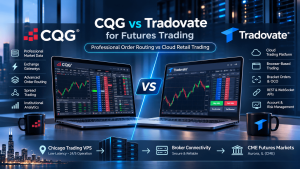
- CQG: CQG tends to have a more centralized, server-based data and order routing system. Complex OCO (One-Cancels-the-Other) logic, trailing stops, and bracket orders are often executed on CQG’s servers and not on your local device. This slightly lowers the processing pressure on your VPS, but it provides a more stable server-side experience, at the cost of a bit of data granularity.
4. Matching Data Resolution to Server Resources
To make these technical requirements a reality, line up your strategy type with the resources it truly requires:
| Strategy Type | Data Resolution | CPU Demand | RAM Demand | Latency Sensitivity |
| Opening range breakout | 1-minute bars | Low | 8GB sufficient | High |
| VWAP reversion | Tick/minute hybrid | Moderate | 16GB recommended | Moderate |
| Order flow imbalance | Tick-by-tick | Very high | 24GB+ recommended | Very high |
| Trend following (EMA/ATR) | Daily/hourly bars | Low | 8GB sufficient | Low to moderate |
| Mean reversion | 15-min/hourly bars | Low to moderate | 16GB | Moderate |
| Multi-strategy portfolio | Mixed | Very high | 32GB+ | High across all |
Remember that latency sensitivity and resource demand aren’t necessarily correlated. A trend-following daily bar strategy requires virtually no CPU or RAM, but it does require good uptime if you are going to trade it unattended overnight. An order-flow strategy, on the other hand, requires more RAM to execute MBO data and more latency to execute the strategy before the setup is gone.
This is exactly the range TradingVPS is built to cover. High-performance Ryzen 9 9950X CPU cores, DDR5 RAM, and NVMe SSD storage, so traders can match their hosting to their actual workload.
5. Know When Your VPS Is Underpowered
Sometimes purchasing additional resources is not the solution. First, determine if your existing environment is really suffering. Several signs indicate a bottleneck:
- Persistent high CPU usage: If CPU utilization is still high in normal market conditions, the processor might be too small for the number of strategies, indicators, or platforms being used.
- Memory pressure: A large workspace, historical data, Tick Replay, and multiple applications quickly eat up the RAM. Constant memory pressure affects overall system responsiveness.
- Storage activity: Heavy logging, processing historical data, and local tick saving generate significant storage activity. If storage is too slow, then it becomes a bottleneck even if CPU and RAM are sufficient.
- Platform freezes: When charts fail to update, DOM windows freeze, or applications freeze during high workloads, first check local resource use before assuming that this is a network issue.
- Problems only appear during busy sessions: A VPS can seem fine in periods of low market activity and have issues when the amount of data increases. Testing in real and volatile conditions provides a better idea than a generic VPS benchmark.
6. Optimize the Trading Environment Before Upgrading
A premium VPS cannot fix inefficient strategy code or an unnecessarily heavy workspace. Before spending more on resources, optimize the platform, workspace, and strategy if the hardware is sufficient.
- Reduce unnecessary charts: Each chart, indicator, and data series adds to the workload. Close anything that does not support the live strategy.
- Review historical data: Only retain data necessary for analysis or live operation.
- Review calculation frequency: Check if your algorithm is calculating complex, custom indicators on each and every tick. It will spike your CPU usage during volatile times, not at the close of the bar, but OnPriceChange.
- Remove unnecessary logging: Debugging is helpful in development, but too many Print() or log outputs will cause unnecessary disk activity and processing during live execution.
- Separate development from live trading: Do not run heavy optimizations or backtests on the same environment that is used to execute a live and latency-sensitive strategy.
7. The Futures VPS Setup Checklist
Before putting live capital on an automated platform to trade futures, walk through this checklist for optimization:
- Audit the Workspace: Are there unused charts, indicators that can be disabled, and have you limited the amount of historical data?
- Optimize the Code: Is your strategy calculating on the bar close or every tick (where appropriate)?
- Match the Geography: Are you hosted in Chicago for CME futures, or London/NY for Forex?
- Assess Data Needs: Is your server using Rithmic MBO data or a lighter feed?
- Verify Storage: Are you using an NVMe SSD to ensure fast log writing and workspace recovery?
- Confirm Isolation: Is your hosting provider assuring that you’ll have dedicated CPU threads to avoid noisy neighbor throttle?
Conclusion
The idea is to build the right VPS setup, which means creating an environment that is ideal for your platform, data feed, and strategy workload. TradingVPS offers a trading infrastructure that is suitable for traders who require consistent resources, low-latency connections, and 24/7 technical support.
With free DDoS protection and powerful, trading-oriented hardware that centers on the Ryzen 9 9950X CPU, DDR5 RAM, and NVMe SSD storage, your automated systems can finally operate at the speed, consistency, and reliability that’s needed for success in today’s futures markets.
Frequently Asked Questions (FAQs)
Tradovate processes orders in the cloud while your local machine has to maintain a constant REST/WebSocket API connection to manage custom scripts, alerts, and third-party algorithmic bridges. This connection can be severed with a home internet drop. A VPS guarantees that your automated strategies are always connected to the Tradovate servers, without any downtime.
NinjaTrader’s baseline recommendation is 8 GB of RAM. If you’re utilizing multiple automated strategies, deep historic data, rendering order-flow indications, or tick-replay, however, you should consider dedicating 16 GB to 32 GB of RAM to keep the platform stable under load.
Sierra Chart is very efficient on CPU usage and reads and writes very large volumes of granular tick data and historical chart files locally. This process can be slowed down by traditional SATA drives, which can cause chart loading delays.
Chicago is the best place to trade CME Group products such as ES, NQ, or CL to minimize network transit latency. If you are a global forex trader, however, you’ll want to look towards London, Frankfurt, or New York. For anyone who is running automated Python API bots for prediction markets, a Dublin VPS provides the most ideal cloud routing.
Rithmic offers unaggregated tick and Market-By-Order (MBO) data with a microsecond time stamp, which is good for scalpers but is very demanding on a VPS. CQG’s advanced bracket order and routing method has a more server-side approach that needs marginally less processing power from your VPS, but maintains the same level of institutional stability.